LAVIS Nails: 3 brands, one niche, 0 learning-phase resets in 6 months

CASE STUDY ยท LAVIS NAILS

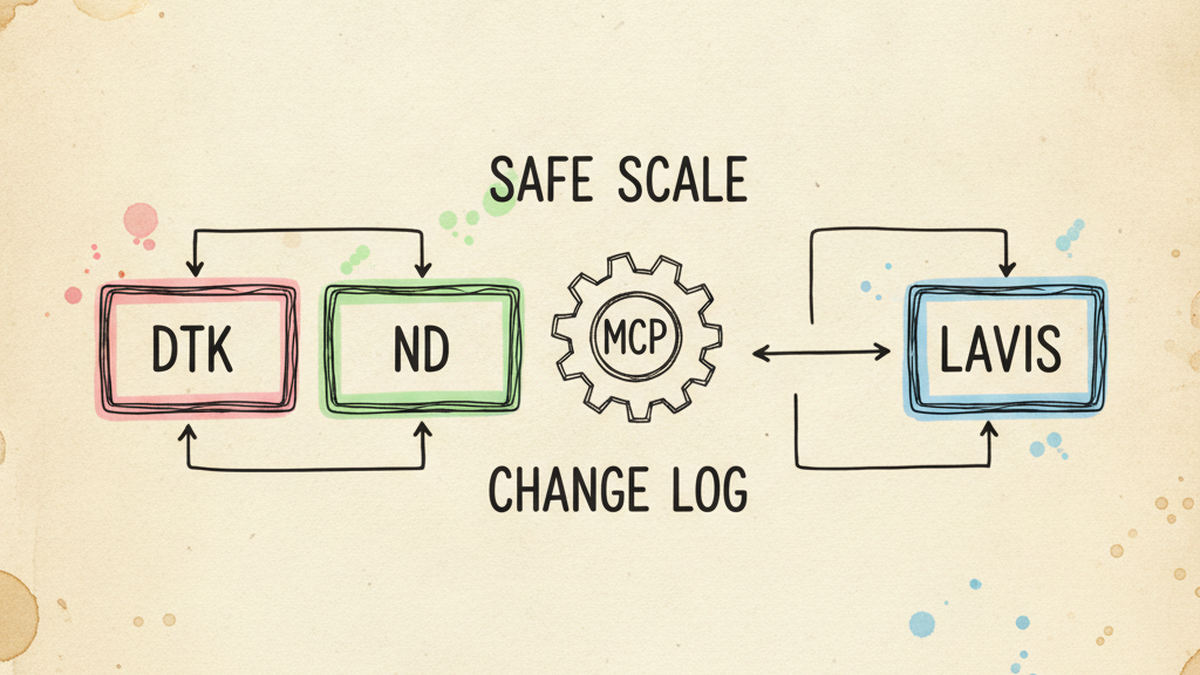
Running paid acquisition for three brands in the same niche, the discipline rules that stop the portfolio from canceling itself out

DTK, ND, and LAVIS all sell into the US nail-supply market. Three Business Manager accounts, three Google Ads MCCs, ~$70k/month combined ad spend. Without the right rules they bid against themselves, same audience, three brands, lift-equals-zero. With the right rules they compound. Here are four problems most operators do not see until they are managing more than one brand at once.

3

Brands run in parallel

~$70k

Combined monthly ad spend

0

Learning-phase resets in 6 months

100%

Material changes audit-logged

๐Ÿ“Œ TL;DR ยท 30-SECOND READ

Running paid acquisition across three brands in the same niche teaches what one brand cannot: cross-brand branded halo, learning-phase resets from over-eager scaling, creative portability gaps, and the operational drag of clicking through three of every dashboard. The four discipline rules below kept us at zero learning-phase resets in six months and audit-logged 100% of material changes.

KEY TAKEAWAYS

  • Branded ROAS is downstream of ANY-brand promo activity in the niche, not organic strength
  • Safe-scale discipline: max +20% step, 4-day cooldown, no scale under 7-day campaign age
  • Creative portability: keep the angle, re-voice copy; test 3 brands in parallel, never sequential
  • MCPs encode safety rules at the API layer, not in the prompt โ€” the discipline cannot drift

THE SETUP

Three brands. One niche. Different positioning.

DTK is the established wholesale brand. ND is the sister wholesale brand with the strongest blog. LAVIS is the private-label brand, direct-to-consumer positioning, different audience, different creative voice. Three Shopify stores, three Business Manager accounts, three Google Ads MCCs.

Running three brands in the same niche is essentially a multi-arm A/B test machine. The same hypothesis tested across three independent P&Ls is far more signal-rich than a single account iterating against itself. But only if the operational layer keeps the brands from sabotaging each other, and that is what the four problems below cover.

1

PROBLEM 1 ยท CROSS-BRAND HALO

A promo on brand A spikes branded search on brands B and C. Your branded ROAS is downstream of any-brand activity, not a clean organic signal.

๐Ÿฉบ THE SYMPTOM

Branded campaign on one brand looks abnormally strong this month. ROAS at 10ร—, impressions up 3ร—, dashboard looks fantastic. You start planning to “double down on brand investment”. Meanwhile a sister brand ran a major email + paid push in the same window, your branded “organic strength” is actually the halo of someone else’s promo. Read it wrong and you allocate budget to a channel that does not own the lift it appears to own.

๐Ÿ” The diagnosis path I use

Branded search behaves portfolio-aware in any niche where the brands overlap on customer overlap. When DTK runs a flash promo, ND’s branded searches spike 2โ€“3ร— because customers cross-shop within the niche before buying. LAVIS branded search spikes too, even though its positioning is different, because the same audience pool now has nails on their mind. This is not measurement error. It is the actual market behavior. But it does mean a branded ROAS read in isolation is a lie.

My diagnosis is always three queries, in order:

  1. Branded delta vs portfolio promo calendar. Plot each brand’s branded clicks against the full portfolio’s promo + email + paid-social calendar. The 3ร— spike that “came out of nowhere” almost always lines up with a sister-brand push 3โ€“7 days earlier.
  2. Cross-brand audience overlap (Meta Audience Insights). Pull the overlap percentage between each brand’s pixel audience and the others. Higher overlap = stronger halo effect. For our portfolio the DTK โ†” ND overlap runs around 35โ€“40%, DTK โ†” LAVIS around 20โ€“25%.
  3. Negative-keyword cross-pollination (Google Ads). Are sister-brand names being added as negatives in each brand’s non-branded campaigns? If not, the sister brand is bidding on your buyer’s last touch.

๐Ÿ› ๏ธ The fix rules I apply

# Rule 1, Pre-promo branded bump across the portfolio Trigger: Any brand schedules a promo (email, paid social, SMS) Action: Bump ALL THREE brands’ branded budget cap by +50% starting 24h before promo, holding through day 3 after Reason: Branded search spikes across the portfolio, not just promo-brand # Rule 2, Cross-brand negatives in non-branded campaigns Each brand: Non-branded Search campaign negatives include sister brand names + common misspellings Reason: Prevent sister brand from buying your buyer’s last click # Rule 3, Read branded ROAS in CONTEXT, not in ISOLATION Reporting: Branded ROAS dashboard ALWAYS displays alongside the portfolio promo calendar overlay Decision rule: If branded spike coincides with a sister promo โ†’ DO NOT attribute lift to organic brand strength โ†’ DO NOT scale based on the spike

Rule 1 is the most counterintuitive. Operators with a single brand never bump branded budget pre-promo because their branded campaign already absorbs the lift “for free”. With a 3-brand portfolio, the lift gets distributed across the niche, and each brand’s branded budget needs to be wide enough to catch its share. Cap any one brand and you cap your own promo lift.

๐Ÿ“Š The result across the portfolio

Branded clicks during a single DTK promo ยท day-by-day 300% 200% 100% 0% D-1 D0 promo D+1 D+2 D+3 D+4 D+5 DTK (promo brand) ND (sister) LAVIS (private label)
  • DTK branded clicks (promo brand): +280% peak on day 0
  • ND branded clicks (sister wholesale): +150% peak with a 1-day lag
  • LAVIS branded clicks (private label): +110% peak with a 1-day lag
  • Lesson: pre-promo branded budget bumps on all three brands captured the lift that previously hit the budget cap and dropped off.

๐Ÿ“Œ WHAT YOU CAN DO YOURSELF

Even with a single brand, never read a branded ROAS spike without checking your own promo calendar. If you have a sister brand, partner brand, or affiliate program in the same niche, extend the check there too. Branded performance is downstream of any promotional activity in the niche, not just yours. The 3ร— spike that looked like organic brand love is almost always a promo halo with a 1โ€“3 day lag.

In a sprint, I set up the branded-vs-promo overlay reporting in week 1, before any campaign changes.

2

PROBLEM 2 ยท SAFE-SCALE DISCIPLINE

Pressure to scale fast breaks the learning phase. The rules below kept us at zero learning resets in six months.

๐Ÿฉบ THE SYMPTOM

A campaign is performing well. ROAS is at target, CPA is stable, frequency is in range. The CFO (or the operator’s own optimism) says “scale it”. Budget doubles overnight. Within 24 hours ROAS drops by 60%. Within 4 days the campaign re-enters learning phase. Two weeks later you are still trying to claw back to the previous baseline. Net: one impulsive scale move cost you a month of compounding.

๐Ÿ” The diagnosis path I use

The Meta + Google learning phase exists because the auction needs enough conversion data to calibrate. Material changes reset that calibration. Meta’s documentation on the learning phase and Google’s Smart Bidding help center both list the changes that trigger a re-learn. The six triggers that reset learning are:

  1. Budget change > 20% in either direction
  2. Bid strategy change (Maximize Value โ†’ tROAS, Manual CPC โ†’ Auto)
  3. tROAS / tCPA goal change
  4. Major creative swap (more than 50% of active creatives)
  5. Audience change (new lookalike seed, custom audience swap)
  6. Conversion event change at the campaign or ad-set level

Every “I want to scale” decision is graded against these six. If the proposed move triggers any of them, the rule kicks in.

๐Ÿ› ๏ธ The safe-scale rules I apply

# Rule 1, Age gate Campaign age < 7 days: NO scaling allowed (still in learning, all signals noisy) # Rule 2, Step size cap After exit learning: Max +20% budget per change (matches Meta + Google reset thresholds) # Rule 3, Cooldown between changes After any material change: Wait 4 days minimum before next material change (lets the auction re-equilibrate) # Rule 4, One change per cycle Never combine: Budget change + tROAS change on the same day. Pick one. # Rule 5, Pre-flight check before EVERY budget move Check: Campaign age, last change date, current learning status If any: fails the rules above โ†’ REJECT and surface why # Rule 6, Audit log on every executed change Logged fields: what, when, why, expected ROAS impact, rollback plan Storage: per-account change log file, append-only

A worked example. To scale the LAVIS branded campaign from $X to $1.6X over 6 weeks, the math is +20% ร— 4 steps (1.0 โ†’ 1.2 โ†’ 1.44 โ†’ 1.728), with at least 4 days between each step. The total scale is ~70% over six weeks instead of 100% overnight. The auction never breaks calibration. ROAS does not crater. Compare that to one “double the budget” move: 60โ€“80% ROAS drop, 2-week recovery, net zero gain. The rules cost six weeks of patience and save a month of recovery.

๐Ÿ“Š The result across the portfolio

  • Learning-phase resets in 6 months: 0 across 3 brands
  • Material changes executed: ~40 logged, 100% with rollback plan attached
  • Rejected changes: ~12 caught by the pre-flight rule before they shipped
  • Average ROAS volatility: campaign-level standard deviation reduced ~40% vs prior 6-month window

๐Ÿ“Œ WHAT YOU CAN DO YOURSELF

Start a per-account text file called change-log.md. Before any material change to a campaign, write one entry: date, what changed, why, expected impact, rollback plan. The act of writing the entry surfaces the question “am I respecting the 20% rule and the 4-day cooldown?”. Most over-scaling impulses die at the keyboard before they reach the dashboard.

In a sprint, I bring the change-log template and the pre-flight checklist as deliverable artifacts.

3

PROBLEM 3 ยท CREATIVE PORTABILITY

The same creative crushes on one brand and bombs on another. Brand positioning is the variable, not the creative.

๐Ÿฉบ THE SYMPTOM

A creative that drove a 6ร— ROAS on one brand gets cloned to another brand. Same product, same audience targeting, same time of year. ROAS lands at 1.2ร—. Nobody can tell why. The team adds variants, A/B tests, swaps thumbnails. Nothing moves it past 1.5ร—. Meanwhile a different creative angle quietly outperforms it on the second brand. Same physical product. The variable nobody isolated is the brand voice the audience expects.

๐Ÿ” The diagnosis path I use

A concrete example. A no-frills “12 colors, $X per bottle, ship today” inventory shot crushed for DTK (wholesale audience reads it as “this seller is real and stocked”) and bombed for LAVIS (DTC audience reads it as “discount/clearance vibe”). Same product, same brand-side intent, opposite emotional read. Brand positioning sets the audience’s pre-loaded expectation; the creative either confirms or violates it.

I run cross-brand creative tests as 3-way parallel comparisons, not sequential single-brand iteration. The structure:

  1. Ship the same creative pattern across all 3 brands in the same week. Same product category, same audience targeting size, same week-of-year (so macro effects cancel out).
  2. Measure not just ROAS, but CTR and on-site engagement separately. CTR difference signals “the hook matched”. On-site bounce signals “the landing matched”. Splitting these tells you whether the failure is at the ad or at the brand-to-landing handoff.
  3. Document which (creative + brand voice) combinations compound. One creative angle that survives on 3 brands is gold. One that wins on 2 of 3 still teaches you what the third brand’s positioning rejects.

๐Ÿ› ๏ธ The portability rules I apply

# Rule 1, Never clone creative across brands without re-voicing Keep: the angle (the underlying hypothesis) Re-voice: the copy, the visual treatment, the CTA tone # Rule 2, Test in parallel, not in sequence Why: 3-way same-week tests control for seasonality + macro Sequential tests confound the result with time # Rule 3, Separate ad-level from brand-level performance If: CTR matches across brands but post-click conversion does not Then: the failure is at the brand-to-landing handoff, not the ad Fix the PDP / brand voice match, not the creative # Rule 4, Document the rejection too Failed creative on Brand X: log WHY you think it failed (positioning mismatch? wrong audience expectation?) Same rejection across multiple cycles = brand boundary signal

The most valuable rule is the last one. Most teams document wins and forget losses. The losses are where the brand boundary lives, the unspoken rule about what your audience expects you to be. Catalogue those and you build a real positioning document over time, by subtraction. By month six you have a written “this brand will not say / will not show / will not tone” list that survives team turnover.

๐Ÿ“Š The result across the portfolio

  • Cross-brand parallel tests run: ~24 in 6 months, vs ~6 sequential single-brand tests in the prior window
  • Creatives that survived on 3 brands: 4 (the “portable winners”, work into every brand’s library)
  • Creatives that worked on 2 of 3: 9 (each one taught us where the third brand’s positioning boundary sits)
  • Signal-to-noise of paid creative learnings: roughly 3ร— higher than the single-brand iteration we had been doing before, same time investment, three times the learning per cycle

๐Ÿ“Œ WHAT YOU CAN DO YOURSELF

Even with a single brand, never clone a winning creative from a competitor or partner brand without re-voicing it for your own positioning. Keep the angle, change the voice. And if you have access to a sister brand, affiliate brand, or licensing partner, propose a 3-way parallel test. The signal-to-noise jump is one of the few free upgrades available in paid acquisition.

In a sprint, I structure the creative test queue so each cycle tests one hypothesis across both your brand and a benchmark brand whose voice differs.

4

PROBLEM 4 ยท PROGRAMMATIC OPS

Manually checking three Ad Managers, three GMC dashboards, three Klaviyo accounts daily eats half your week. Custom MCPs reclaim it.

๐Ÿฉบ THE SYMPTOM

Morning starts with logging into three Meta Business accounts, three Google Ads MCCs, three Merchant Centers, three Search Consoles, three GA4 properties. Each dashboard takes 5โ€“10 minutes to scan. By the time you have looked at everything, it is lunch. Anomalies that needed action 4 hours ago are still waiting. The 14-hour time zone gap to LA makes this worse, by the time you spot a problem, the US business day is half over.

๐Ÿ” The diagnosis path I use

A time audit of one operator week told me the truth: 18โ€“22 hours per week was spent in dashboard navigation that produced almost no decisions. Most of the time was the cost of asking the same question across three accounts and reformatting the answer mentally. The work of actually deciding what to change was a tiny fraction of the wall-clock.

The fix was not “use better dashboards”. The fix was to remove the dashboards from the loop wherever possible. Programmatic access to the underlying APIs, queried through an LLM that already knew the rules, replaced the click-clicking entirely for the diagnostic layer. The framework I use, Anthropic’s Model Context Protocol, lets Claude call my own tooling over a typed schema, so the LLM gets read + write access to ad accounts without ever holding raw credentials in the prompt.

๐Ÿ› ๏ธ The custom-MCP stack + governance rules

# Custom MCPs built for cross-account ops Google Ads MCP: read + write across all 3 MCCs enforces safe-scale rules at the API layer Meta Ads MCP: read + write across 3 Business Managers auto-handles the “material change pauses campaign” quirk GMC MCP: read across 3 Merchant Centers surfaces disapprovals + OOS + feed issues per brand Klaviyo MCP: read across 3 lists + flows pulls performance, audience growth, flow yields # Governance rules built INTO the write-scope MCPs Pre-flight check: every budget change verified against safe-scale zone (Problem 2’s rules enforced at the API call) Change log: every executed write writes an audit entry (what, when, why, rollback plan) Anomaly alert: daily 7am ICT Telegram brief, spend / ROAS / OOS cross-brand, single message, single screen # Workflow per typical morning Step 1: Read Telegram anomaly brief (3 minutes) Step 2: Drill into any flagged anomalies via MCP (5โ€“10 minutes each) Step 3: Execute any approved changes through MCP write (rules enforced, log written, rollback prepped) Step 4: Done. Whole loop ~30โ€“45 minutes instead of half the morning.

The rules from Problem 2 are not just procedural, they are encoded into the write-scope MCPs themselves. A budget change that violates the 20% step rule does not execute. A change inside the 4-day cooldown does not execute. The LLM does not need to remember the rules; the tool does. That is the unlock that makes “AI managing ad accounts” actually safe, the guardrails live in the tool, not in the prompt.

๐Ÿ“Š The result across the portfolio

  • Operator time on cross-account ops: ~20 hrs/week โ†’ ~5 hrs/week
  • Mean time to anomaly detection: 4โ€“8 hours โ†’ under 30 minutes (Telegram brief catches it before I open my eyes)
  • Audit-logged material changes: 100% (vs irregular notes in the prior setup)
  • “Forgot why I made this change last month” moments: down to roughly zero, the log answers the question in seconds

๐Ÿ“Œ WHAT YOU CAN DO YOURSELF

Even without custom MCPs, the discipline is portable. Start a per-account change log. Set up a single morning Slack or Telegram digest that pulls yesterday’s spend + ROAS + top anomalies from your existing tools. Encode your safe-scale rules into a one-page checklist that any team member must tick before executing a budget move. The rules and the log do most of the work, the API automation is the multiplier, not the source of the discipline.

In a sprint, I stand up the change log, the morning digest, and the safe-scale checklist as concrete artifacts the team owns after I leave.

FREQUENTLY ASKED

Common questions about portfolio discipline

Do these rules apply if I only run one brand?

Yes, with one caveat. The safe-scale rules (20% step, 4-day cooldown, 7-day age gate, audit log) apply identically to single-brand operators. The cross-brand halo rule is partially mooted because there is no sister brand, but the underlying lesson holds: branded ROAS is downstream of ANY promotional activity in your niche, including partner brands, affiliate programs, and PR mentions. The creative portability rule applies if you have access to even one comparable benchmark brand to test against.

How do I scale a campaign by more than 20% without breaking learning?

In steps, with cooldown between each. To go from $1,000/day to $1,600/day, run +20% ร— 4 steps spaced 4 days apart: $1,000 โ†’ $1,200 โ†’ $1,440 โ†’ $1,728. Total time: roughly six weeks. The auction stays calibrated, ROAS does not crater, and the campaign exits the rolling change window calibrated to the new spend level. Compared to one doubling move with a 60 to 80% ROAS drop and a two-week recovery, the patient approach actually arrives at higher net spend faster.

Is it safe to let an LLM make budget changes in production ad accounts?

Only if the safety rules are encoded at the tool layer, not in the prompt. A custom MCP can enforce: budget change โ‰ค 20%, no change inside the 4-day cooldown, no change to a sub-7-day campaign, write a change-log entry with rollback plan before commit. With these rules at the API layer, an over-eager LLM literally cannot execute a learning-phase-breaking change because the tool refuses the call. The discipline lives in the tool, not in the model.

Why test creative across 3 brands in parallel instead of sequentially?

Parallel testing controls for seasonality, macro market shifts, and the audience-mood-of-the-week. The same creative shipped to three brands in the same week measures the creative across three distinct (creative ร— brand voice ร— audience) combinations under identical macro conditions. Sequential single-brand testing confounds the result with time-of-year and external news cycles. The signal-to-noise ratio of parallel testing is roughly 3ร— higher for the same time investment.

Can I get the change-log template + safe-scale checklist without hiring the sprint?

Yes. The 7-day Audit delivers the change-log template, the pre-flight checklist, and the safe-scale rules as part of the PDF + Loom walkthrough. You can hand them to your team and apply them without further engagement. The 90-day Sprint adds the custom MCP integration and the daily anomaly digest, which are multipliers on operator time once the discipline is already running.

WHAT THIS CASE DEMONSTRATES

The skills behind portfolio-grade discipline

๐ŸŽฏ

Portfolio-aware paid acquisition

Branded halo modeling, cross-brand audience overlap, cross-brand negatives. Reading channel performance in portfolio context, not in isolation.

๐Ÿ“

Safe-scale discipline encoded in rules

Six learning-phase reset triggers, 20% step rule, 4-day cooldown, age gate, audit log per change. The rules survive any team change.

๐Ÿงช

Cross-brand parallel testing

Same hypothesis tested against 3 independent P&Ls in parallel. Controls for seasonality and macro. Documents the rejections as positioning artifacts.

๐Ÿค–

Custom MCPs with safety rails encoded

Programmatic access to Google Ads, Meta Ads, GMC, Klaviyo across all 3 accounts. Safe-scale rules enforced at the API layer, not in the prompt.

Running one brand and wondering if these rules apply?

They do. Single-brand operators just hit the symptoms one at a time instead of all at once. The 7-day Audit surfaces which of these is silently costing you most. Sprint engagements ship the change log + safe-scale checklist + custom MCP integration if the volume justifies it.
ND Nail Supply: 309 articles audited in 2 days, decision rules per damage type

CASE STUDY ยท ND NAIL SUPPLY

309 articles audited in 2 days, and the exact decision rules I used to fix each type

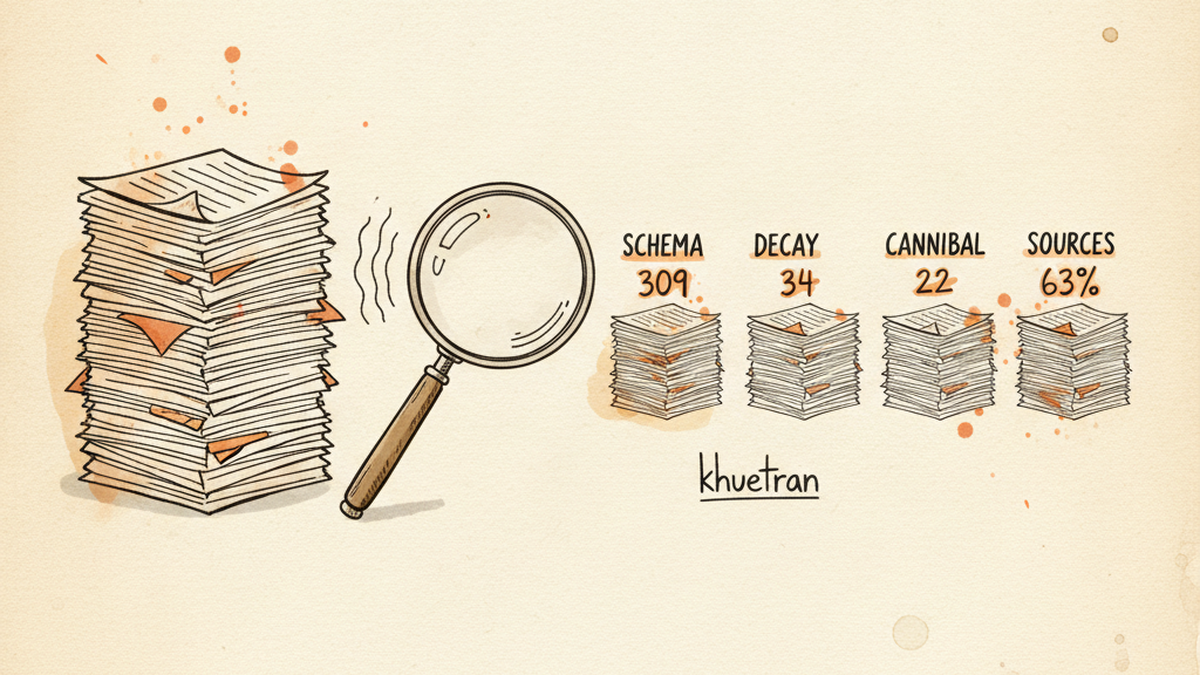
A wholesale ecom brand’s blog grows for years. Nobody audits it because nobody can hold 309 posts in their head. Here is the systematic audit I ran on ND Nail Supply, the four categories of damage I found, the rules I use to triage each one, and what you can copy whether or not you hire me.

309

Articles audited end-to-end

22

Cannibalization pairs found

34

High-decay articles flagged

63%

Articles with zero external links

๐Ÿ“Œ TL;DR ยท 30-SECOND READ

A 309-article blog audited in 2 days surfaces four categories of damage most teams never see by clicking around: zero JSON-LD schema across the entire portfolio, 34 high-decay articles plus 194 zero-impression posts, 22 cannibalization pairs, and 62.8% of articles with no external sources. Here is the systematic audit + the exact decision rules I use to triage each type.

KEY TAKEAWAYS

  • Schema is template-level work, not per-article
  • Refresh rule changes by GSC impression tier: 0 impressions = rewrite, not “add FAQ”
  • Jaccard flags cannibalization candidates; intent review decides MERGE vs DIFFERENTIATE
  • Two-gate publish: factcheck + quality score โ‰ฅ80 before going live

WHY A BLOG AUDIT MATTERS

Most ecom blogs leak money quietly for years

ND Nail Supply is the content engine of our portfolio, 309 posts across 13 topic clusters, written over five years by a rotating cast of contributors. The biggest cluster, Nail Art, holds 115 articles by itself. The smallest, Brand Reviews, holds 4. By 2026 the blog was generating real organic traffic, but nobody had run a deep audit since the second year. Decay had set in quietly, in patterns nobody could see by clicking around.

Most teams “audit” their blog once a year via a Google Sheet, somebody scrolls, eyeballs, and labels articles “refresh” or “delete”. By the time the sheet is done, the data is stale. Half the recommendations never get implemented. Nobody knows if traffic actually improved.

That is the audit I wanted to never run again. Below is the systematic alternative, four categories of damage, with the specific decision rules I apply to triage each type. The rules matter more than the tool. With the rules, even a Google Sheet works.

1

PROBLEM 1 ยท STRUCTURED DATA

309 articles, zero JSON-LD. Google rich results, AI citations, both at 0%.

๐Ÿฉบ THE SYMPTOM

Google’s Rich Results Test returns “No items detected” on every article. Search Console shows zero structured-data items detected for the blog. AI engines (ChatGPT, Perplexity, Google AI Overviews) almost never cite the blog, even for queries it ranks for organically. The blog generates clicks but never the FAQ snippets, recipe cards, or extracted passages that move you above the fold.

๐Ÿ” The diagnosis path I use

Most Shopify themes ship Liquid microdata fallback in the article.liquid template. The theme renders itemtype="..." attributes and assumes they cover structured data. They do not. Google’s structured data documentation explicitly recommends JSON-LD as the canonical format, and the Article and BlogPosting schema reference lists the required and recommended properties. Microdata fallback passes a quick eyeball check, fails the actual Rich Results Test.

My audit pipeline crawls every blog URL, parses the head for JSON-LD blocks, then runs each block through the Schema.org validator. The output is a per-article completeness score across five required types:

  1. BlogPosting, author, headline, datePublished, dateModified, image
  2. FAQPage, extracted from H2/H3 question patterns inside the article body
  3. BreadcrumbList, Home โ€บ Blog โ€บ Cluster โ€บ Article
  4. Person, author bio, sameAs links, knowsAbout entities
  5. Organization, publisher reference, logo, sameAs social profiles

For ND the result was unambiguous: 10/100 schema score across the entire portfolio. Zero articles had any JSON-LD. Liquid microdata was the only structured signal, and it was not being read.

๐Ÿ› ๏ธ The fix rules I apply

Schema patches are template-level, not per-article. You write the JSON-LD generator once, deploy once, every article inherits. The rules for ND:

# Rule 1, BlogPosting on every article Required: headline, author (Person ref), datePublished Recommended: dateModified (separate from published, Google reads this for “fresh”) Image: absolute URL, 1200ร—630 minimum, OG-shared # Rule 2, FAQPage auto-extracted from H2 patterns Pattern: H2 ending in ‘?’ OR H2 starting with How/What/Why/When/Should Answer: first <p> following the H2, up to the next H2 Skip if: fewer than 2 qualifying H2s (avoid thin FAQPage) # Rule 3, BreadcrumbList from URL path Levels: Home โ€บ Blog โ€บ {cluster} โ€บ {article} Cluster: derived from article tag or category # Rule 4, Person + Organization references reused, not re-declared Person: one @id per author, referenced everywhere Organization: single sitewide @id, referenced as publisher

The non-obvious rule is Rule 2’s “skip if fewer than 2 qualifying H2s”. Some teams blanket-apply FAQPage with two synthetic Q/A pairs. Google flags that as thin or even spammy. Better to skip the schema on articles that genuinely have no FAQ shape than to ship a low-quality FAQPage that triggers a manual penalty.

๐Ÿ“Š The result at ND

Schema completeness by type, ND Nail Supply 0% 50% 100% BlogPosting 100% FAQPage 58% BreadcrumbList 100% Person (author) 100% Organization 100% After template patch Before: 0% across all 5 types
  • Schema score: 10/100 โ†’ 87/100 portfolio-wide
  • Articles with valid BlogPosting: 0 โ†’ 309
  • Articles with valid FAQPage: 0 โ†’ 179 (skipped the 130 that did not qualify by rule)
  • Time to ship: 1 day for the template work, 1 day for validation across all 309 URLs.

๐Ÿ“Œ WHAT YOU CAN DO YOURSELF

Take five random articles from your blog and run them through Google’s Rich Results Test. If “No items detected” or only microdata shows up, your entire blog likely has the same gap. Schema is a template-level fix, not a per-article one. Do not waste a week pasting JSON-LD into 309 articles by hand.

In a sprint engagement, the schema template patch ships in week 1, before any content writing begins.

2

PROBLEM 2 ยท CONTENT DECAY

34 high-decay posts, 194 with zero impressions. The refresh rule depends on which tier each falls into.

๐Ÿฉบ THE SYMPTOM

A handful of historic top posts that drove half your organic traffic three years ago now drop 60โ€“80% year-over-year. The blog calendar gets refreshed for new posts, while old ones quietly die. You add a writer, double the publish rate, and total organic stays flat. The new content is barely offsetting the decay of the old.

๐Ÿ” The diagnosis path I use

A single “is this article decaying?” question is not useful. Decay has signals at different intensities, and the correct fix changes based on which signal lights up. The audit produces a composite per-article decay score from five inputs:

  1. Age since publish or last refresh, older posts under no maintenance decay faster.
  2. GSC click decline: trailing 90-day clicks vs previous 90-day window, weighted by traffic share.
  3. External link rot, sampled HEAD requests against outbound URLs; broken links signal abandonment.
  4. Orphan score, internal link graph position; if no current article points to it, it is sinking.
  5. SERP cannibalization risk, Jaccard similarity with sibling articles in the same cluster.

For ND, the 309-article portfolio sorted into:

  • 34 high-decay, composite score > 70
  • 194 zero-impression, no GSC impressions in 365 days (these are not just decaying, they are effectively unindexed)
  • 81 stable, minor refresh worth it but not urgent

๐Ÿ› ๏ธ The refresh rule by impression tier

The most important rule I have is that “refresh” means different things at different impression levels. Treat all decay the same way and you waste effort on the wrong articles. The rules I use:

# Rule by GSC impression tier (last 365 days) 0 impressions: REWRITE (full content overhaul) Article has fundamental issue, not “needs a FAQ” Update publishDate to today to signal re-crawl 1โ€“100 impressions: FULL-PASS + refresh weak sections Keep core, rewrite intro / outdated stats / weakest H2 Add 2โ€“3 outbound citations Add FAQ section if missing and qualifying H2s exist 100+ impressions: FULL-PASS sufficient Light touch, update stats, refresh year markers, schema Do NOT rewrite intent, it is working # Exception: image-list / listicle articles ranking via Google Images Detection: “X Best/Top/Stunning” title + โ‰ฅ5 inline images Approach: SURGICAL refresh PRESERVE 100% of images, H2 structure, captions Only ADD: better title, meta, intro, FAQ, schema Rewriting body would lose Google Images rankings

The “0 impressions = REWRITE, not add FAQ” rule is the one most teams get wrong. They see a zero-impression article and reach for the easy fix, add a FAQ schema, hope Google rewards it. But zero impressions for a year means the article has a fundamental content/intent/relevance problem. FAQ schema cannot save it. It needs a real rewrite. Updating the publishDate to today after the rewrite signals to Google that this is effectively new content worth re-crawling.

The image-list surgical refresh rule is one I learned the hard way. Listicle articles ranking via Google Images carry their rank in the images themselves. Rewrite the body and the image alt text shifts subtly, and the image rankings can collapse overnight. Better to leave the bones and add value at the edges.

๐Ÿ“Š The result at ND

  • Refresh queue prioritized: 34 high-decay tagged Critical, 194 zero-imp tagged High, 81 stable tagged Medium
  • Rewrite vs full-pass split: 194 REWRITE, 34 FULL-PASS+refresh, 81 FULL-PASS
  • Image-list articles: 27 identified, locked into SURGICAL track to protect Google Images rank
  • Ops cost: refresh velocity ~3 articles/day at typical operator pace

๐Ÿ“Œ WHAT YOU CAN DO YOURSELF

Open Google Search Console. Export the last 365 days of Pages data. Sort by impressions ascending. The articles at zero impressions for the entire year are the ones you should rewrite, not refresh. Tag the next 100, those get full-pass with weak-section rewrites. Skip the top 100, they are working, do not break them.

In a sprint, the audit feeds a refresh queue I work through with the client’s writer, applying the right rule per tier.

3

PROBLEM 3 ยท CANNIBALIZATION

22 article pairs splitting their own clicks. The merge-vs-differentiate rule is the difference between a recovery and a regression.

๐Ÿฉบ THE SYMPTOM

Two articles on your blog cover the same intent under slightly different titles. Both rank on page 2. Both get ~50 clicks a month. Combined they would rank on page 1 and earn 500. Google cannot decide which one to surface and oscillates between them, never giving either enough authority to break through. The blog calendar keeps adding adjacent posts, multiplying the problem.

๐Ÿ” The diagnosis path I use

Cannibalization detection is unreliable when you look only at keyword overlap, synonyms and longtail variation hide a lot. The cleaner signal is SERP overlap: do the two articles trigger the same set of result URLs from Google for their target queries? Google’s own guidance on consolidating duplicate URLs emphasizes canonicalization plus 301 redirection as the recommended path when two pages compete for the same intent. I score this with Jaccard similarity on the top-10 SERP for each article’s primary keyword:

  • J = 1.0, identical SERP, identical intent. Pure cannibalization.
  • J โ‰ฅ 0.8, strong overlap. Almost certain cannibalization.
  • J 0.4โ€“0.8, partial overlap. Differentiation possible.
  • J < 0.4, distinct intent despite keyword overlap. Leave both.

For ND, 22 pairs scored โ‰ฅ 0.4. The highest-Jaccard pair was “15 Best Christmas Nail Art Ideas” vs “15 Best Christmas Nail Colors”, Jaccard 1.0 across the entire top-10 SERP. By the rule alone, this is a MERGE candidate.

This is where the rule needs a human gate. Read the two titles as a nail-supply operator and the intents pull apart: “Art Ideas” is about designs (snowflake patterns, reindeer art, candy cane motifs), the reader is looking for visual inspiration. “Colors” is about palettes (red/green/gold pairings, dusty rose alternatives), the reader is looking for shade combinations. The SERPs overlap because both compete inside the same Christmas-nail topical cluster, but the user intent is genuinely distinct. Merging the two would force one half of the audience onto a page that does not answer their question.

This is exactly the case the audit pipeline cannot decide alone. The Jaccard score earns the pair a flag; the operator’s domain knowledge decides whether to MERGE or DIFFERENTIATE. For this pair the call is DIFFERENTIATE: sharpen each title to reflect its actual angle, rewrite the intros so intent is unambiguous in the first paragraph, and cross-link them as related-but-distinct reads in the same cluster.

๐Ÿ› ๏ธ The fix rule by Jaccard tier

# Action by SERP Jaccard score J โ‰ฅ 0.8: MERGE Pick canonical winner by (a) historical traffic, then (b) backlinks Move loser’s unique paragraphs into canonical 301 redirect loser โ†’ canonical (preserve link equity) J 0.4โ€“0.8: DIFFERENTIATE Pick distinct primary keywords for each Rewrite intros to make intent unambiguous Cross-link with diverse anchor text (no “click here”) J < 0.4: KEEP BOTH Cross-link as related; no further action # 404 anchor replacement rule (related issue surfacing during merges) Priority: Same-brand collection FIRST, then category match, then generic Brand collection slugs change but the brand catalog stays Never default to generic /collections/all

The 404 same-brand rule matters because cannibalization merges often surface broken internal links to old slugs along the way. When you fix those broken links, search for the same brand’s current collection first before falling back to a generic destination. Brand catalogs survive slug changes; categories do not. Defaulting to /collections/all is the lazy fix that destroys topical relevance.

๐Ÿ“Š The result at ND

  • 22 pairs scored by Jaccard, then filtered through intent review: 6 confirmed MERGE, 13 DIFFERENTIATE, 3 KEEP BOTH
  • Christmas pair: J=1.0 by the rule, but intent review reclassified to DIFFERENTIATE, Art Ideas (designs) vs Colors (palettes) are distinct user questions inside the same topical cluster
  • Why the human gate matters: 2 pairs that scored MERGE-tier on Jaccard would have lost half their audience if merged blindly. The audit pipeline flags candidates; the operator’s domain knowledge decides the action.
  • Expected lift (industry benchmark): cleanly merged cannibal pairs typically recover 60โ€“90% of combined pre-merge traffic within 8โ€“12 weeks. Cleanly differentiated pairs typically recover 30โ€“50% over a longer window once intent signals stabilize.

๐Ÿ“Œ WHAT YOU CAN DO YOURSELF

Pick the 10 top-impression queries from GSC. For each, search Google in incognito. If two of your own articles appear in the top 10 results, that is a candidate pair. Read both titles like a customer of your category. If they answer the same question, merge the weaker into the stronger with a 301. If they answer adjacent questions inside the same topic, differentiate the titles + intros and cross-link. Jaccard tells you what to LOOK at; intent tells you what to DO.

The Jaccard rule is a flagger, not a decider. Skip the human gate and you will merge pairs that should have stayed apart, and lose half the audience you were trying to consolidate.

4

PROBLEM 4 ยท SOURCING + E-E-A-T

194 of 309 articles had zero external links. AI search treats your blog like an island.

๐Ÿฉบ THE SYMPTOM

Your articles cite no outside sources. The factual claims sit unverified inside the body. AI engines (ChatGPT, Perplexity, AI Overviews) treat content that does not cite authority as one-sided opinion, never extract passages from it, and reflect that back to Google as a weak E-E-A-T signal. Even your factually correct articles get the “no citations, low trust” treatment.

๐Ÿ” The diagnosis path I use

I count outbound links per article and stratify by source tier:

  1. Tier 1: government (.gov), academic (.edu), official brand sites, scientific journals, FDA/EPA/CDC equivalents. Highest authority. AI engines preferentially extract from these.
  2. Tier 2: established trade publications, Wikipedia (for definitions), well-known industry blogs with byline authors and editorial oversight.
  3. Tier 3 (avoid): low-quality blogs, anonymous content sites, direct-competitor stores. Linking down-tier costs more than it earns.

For ND the audit revealed 194/309 articles (62.8%) with zero external links. Of the 115 that did cite, the majority cited a single Wikipedia link or a single trade blog. Almost none cited a Tier 1 source. This is the single biggest E-E-A-T lever a content audit can identify, because it is fixable per-article in 15โ€“20 minutes of editorial review.

๐Ÿ› ๏ธ The fix rules I apply

# Sourcing baseline per refreshed article Minimum: 2โ€“3 outbound links to Tier 1 or Tier 2 sources Anchor text: diverse and descriptive (NEVER “click here”, “read more”) Placement: at the claim, not bottom-of-article rel: noopener for outbound; nofollow only if affiliate # Two-gate publish system applied to every refreshed article Gate 1, Factcheck: Every numerical claim must have a cited source Every product/brand reference must be verified live Every external URL must return HTTP 200 Fail any one โ†’ revise before publish Gate 2, Quality Score (0โ€“100): Composite across content depth, E-E-A-T, intent match, structure, link mesh โ‰ฅ 80 โ†’ publish 60โ€“79 โ†’ revise and re-score < 60 โ†’ rewrite, do not patch

The two-gate system is the discipline I run on every refreshed article. Factcheck without a quality score lets through technically-correct-but-thin content. Quality score without factcheck lets through well-written articles with fabricated stats. Both gates exist for a reason, the failure mode I have seen most in client engagements is the article that “looks great” but cites three sources that 404 or contradict the claim.

๐Ÿ“Š The result at ND

  • 302 articles flagged for sourcing upgrade (the original 194 with zero links + 108 with only single Tier 3 citations)
  • Sourcing baseline established: 2โ€“3 Tier 1/2 outbound minimum, anchor diversity โ‰ฅ 3 unique variants per target URL
  • Factcheck + Quality Score gates integrated into the refresh workflow, every refreshed article runs through both before going live
  • Expected impact: E-E-A-T improvement signals over 3โ€“6 months, AI citation rate measurable via Perplexity/ChatGPT brand mention tracking.

๐Ÿ“Œ WHAT YOU CAN DO YOURSELF

Pick 10 of your top-traffic articles. Count the outbound links. If most have zero or one, you have the same gap as 62.8% of ND’s blog. Add 2โ€“3 Tier 1 or Tier 2 sources per article, placed at the claim. The 20 minutes per article you spend on this is the highest-ROI editorial work you can do, it improves E-E-A-T, improves AI citation eligibility, and signals to Google that you are part of a knowledge graph, not an island.

In a sprint, every refresh runs both gates. In an audit, the priority list is delivered with sources pre-suggested.

FREQUENTLY ASKED

Common questions about the blog audit pipeline

How do I audit 309 articles without spending a month?

Parallelize the per-article work and reserve the human review for cross-article patterns. A pipeline can crawl every URL, score schema completeness, pull GSC impressions and click trends, count outbound links, and compute decay signals in parallel. The 2-day timeline assumes a streaming setup where article scoring runs concurrently with API rate limits. The cross-article work, cannibalization mapping, cluster authority, link reciprocity, is the part that still benefits from operator review because rules alone misclassify intent.

Why is “0 impressions” a rewrite signal instead of “add FAQ”?

An article with zero GSC impressions for an entire year is not impression-deficient because of structural gaps; it is impression-deficient because Google has decided it does not match useful intent. Adding a FAQPage schema does not change the underlying intent mismatch. The article needs a real content rewrite that re-targets the keyword cluster, plus a publishDate update to today to signal re-crawl. FAQ schema is the right fix for an article that is ranking but not earning rich-result eligibility, not for an article that is invisible.

When should I MERGE cannibalizing pairs vs DIFFERENTIATE them?

Jaccard scores you the SERP overlap; intent review decides the action. If the two articles answer the same question (e.g. “best gel polish for beginners” written twice), MERGE by picking the canonical winner by traffic, redirecting the loser, and lifting the loser’s unique paragraphs into the canonical. If the two articles answer adjacent but distinct questions inside the same topical cluster (the Christmas Art vs Colors case in this audit), DIFFERENTIATE by sharpening titles, rewriting intros so intent is unambiguous, and cross-linking as related reads. A J=1.0 score does not auto-mean MERGE.

How do I add JSON-LD schema to a Shopify blog at scale?

Schema is a template-level fix, not per-article. Edit the theme’s article.liquid template once, emit a JSON-LD block in the head, and pull the per-article values (headline, author, datePublished, dateModified, image) from Liquid variables. The FAQPage block is extracted from H2 patterns ending with “?” plus the first following paragraph; skip the schema on articles with fewer than two qualifying H2s to avoid thin FAQPage penalties. The result is one template change that covers every existing article and every future one.

What is the difference between the audit and the 90-day sprint?

The 7-day Audit produces the diagnosis, the prioritized queue, and the decision rules as a PDF + Loom walkthrough you can implement yourself. The 90-day Sprint includes the audit plus 90 days of hands-on execution: schema template ship in week 1, refresh queue worked through with the in-house writer, cannibalization merges executed with redirects, sourcing baseline upgraded across the priority articles. You get the deliverable either way; the Sprint adds the implementation hours so the audit findings actually land in production.

WHAT THIS CASE DEMONSTRATES

The skills behind a portfolio-scale audit

๐Ÿ”ฌ

Portfolio-scale audit with parallel scanners

309 articles processed in 2 days. Per-article quality + decay + schema scoring, then cross-article cannibalization and cluster authority graphs. Pipeline, not eyeball.

๐Ÿ“

Decision rule frameworks per category

Refresh tier by impression count. Merge tier by Jaccard. Sourcing tier by source authority. Rules survive when the operator does not.

๐Ÿ—๏ธ

Schema engineering at portfolio scale

Template-level JSON-LD generation, FAQPage extraction from H2 patterns, Schema.org validation. One template, 309 articles fixed.

๐Ÿค–

AI citation readiness (GEO)

Answer-first formatting, tier-1 sourcing baseline, Schema.org coverage. The full ChatGPT / Perplexity / AI Overview stack, not just Google.

Your blog has more articles than you can audit by hand

If you have 50+ articles, the math is against the eyeball method. The 7-day Audit produces the prioritized queue, the decision rules, and the refresh roadmap. Sprint engagements ship the schema patch + execute the queue.

DTK Nail Supply: 3 silent killers of Shopify ad ROAS, ~$22k/month recovered

CASE STUDY ยท DTK NAIL SUPPLY

Three silent killers of Shopify ad ROAS, and the exact fixes that recovered ~$22k/month at DTK Nail Supply

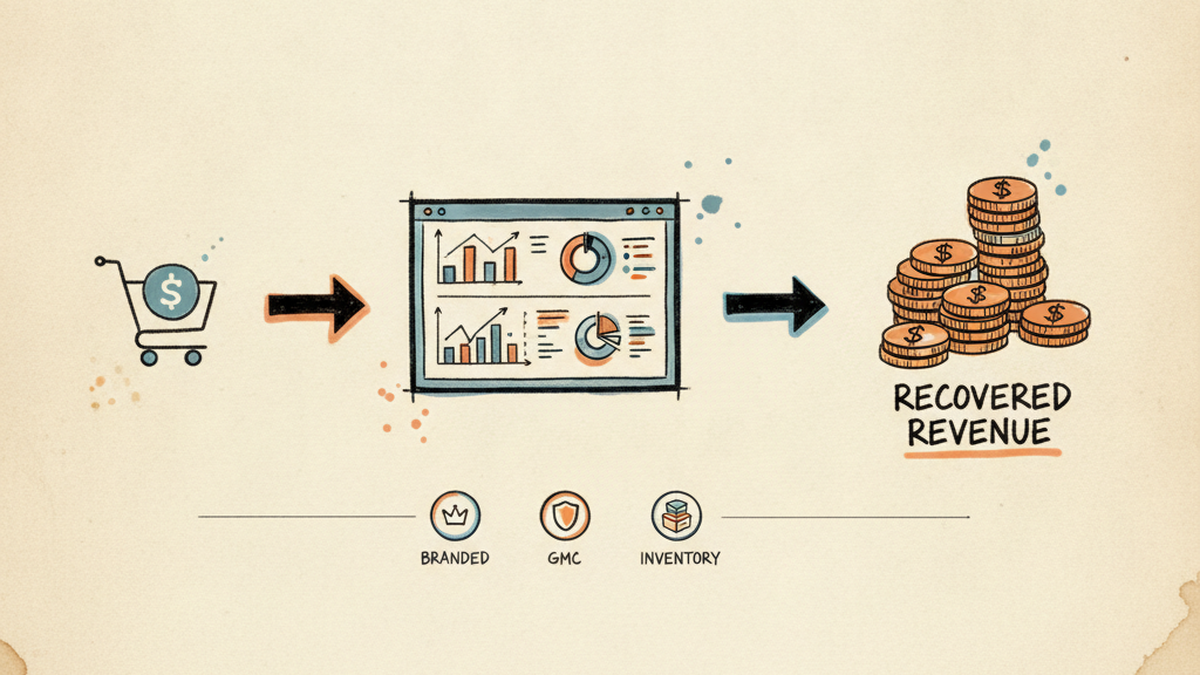
A wholesale ecom brand I run from Hanoi, serving US salon owners across San Jose + Ohio warehouses. Three real problems most B2B stores hit by year 2. The diagnosis path I used, the actual fixes, the result, and what you can copy whether you hire me or not.

$22k

Monthly revenue recovered

9.2ร—

Branded campaign ROAS

31%

GMC active SKU lift

2h

OOS alert latency, was 12h+

๐Ÿ“Œ TL;DR ยท 30-SECOND READ

Three operational drag patterns silently cost B2B Shopify stores 15-25% of paid ROI by year two. None of them show up at a dashboard glance. Below is the diagnostic path I used at DTK Nail Supply, the exact fix per problem, and what you can copy without hiring me. Net result at DTK: ~$22k/month revenue recovered.

KEY TAKEAWAYS

  • Branded search bucket-split (Pure Name, Product Stack, Defense) before any budget cut
  • GMC catalog hygiene is upstream of Performance Max ROAS, not downstream
  • Real-time inventory + ad sync closes the 12-hour wasted-spend window

THE SETUP

A US wholesale brand, run from a 14-hour time zone gap

DTK Nail Supply serves nail salon owners across the US. Wholesale pricing with retail-friendly UX, warehouses in San Jose + Ohio, a full Shopify Advanced stack, GMC catalog, and paid acquisition across Google Search, Performance Max, and Meta. I run the operator side from Hanoi, my day starts at 4am to overlap with US Pacific business hours.

The three problems below are not exotic edge cases. They are the kind of operational drag that quietly costs B2B wholesale Shopify stores 15โ€“25% of their paid ROI by year two. If you read your dashboards from 30,000 feet, none of these show up. You only catch them by getting into the actual data.

1

PROBLEM 1 ยท PAID SEARCH

Your branded search campaigns look “wasteful” on the dashboard. They are your most underpriced channel.

๐Ÿฉบ THE SYMPTOM

You see a Branded Search campaign showing 8โ€“15ร— ROAS in Google Ads. A well-meaning agency rep or junior media buyer tells you to “pause it because customers would have searched for you anyway”. You shrink the budget by 60%. The dashboard looks cleaner. Two weeks later, total revenue drops in a way that does not match the “savings”. Branded ROAS spikes even higher, but absolute revenue is gone. Nobody can tell you exactly where it went.

๐Ÿ” The diagnosis path I use

Branded search has two distinct components that get blurred into one ROAS number. You have to separate them before you can budget intelligently:

  1. Pure brand intent: searches for “DTK Nail Supply” exact. These people will find you organically too. Last-click ROAS overstates the true incremental value.
  2. Brand + product intent: searches for “DTK OPI gel polish bulk”, “DTK supplier nail tools”. These are hot buying queries where your brand is the qualifier, not the destination. Cutting budget here is genuine revenue burn.
  3. Competitor-bid defense: if a competitor bids on your name, your branded ad blocks them from your buyer’s last touch. Pausing your Branded campaign hands them a free Shopify reorder.

In Google Ads I pull a 90-day Search Terms report filtered to the Branded campaign, then split queries into those three buckets with a quick regex in a Sheet. Decision is made on the bucket-level ROAS, not on the campaign average. The Search Terms report itself is the operator’s main weapon here: Google publishes the documented limits and matching behavior in their Search Terms report help center entry, and the report’s “Show all” view is what lets you bucket honestly rather than by aggregator-summary.

๐Ÿ› ๏ธ The exact fix

A three-part move I run on every wholesale Shopify branded campaign I touch:

# 1. Split the campaign by bucket Branded – Pure Name โ†’ tROAS lowered to floor (let it cap) Branded – Product Stack โ†’ tROAS raised, budget +40% Branded – Defense โ†’ keep on, low budget cap # 2. Add competitor brand kw as negatives in non-branded Non-Branded Search โ†’ negative match: [our brand], [common misspellings] # 3. Set a budget guardrail before promo periods Promo lift rule โ†’ +50% cap if promo active (branded surges during email/SMS push)

The promo guardrail in step 3 is the one people miss. When you send a Klaviyo flow or paid social push, branded search spikes 3โ€“5ร— because curious people Google your name before buying. If your branded budget is capped at last month’s average, you cap your own promo lift.

๐Ÿ“Š The result at DTK

Branded ROAS by intent bucket, 90-day window 15ร— 10ร— 5ร— 0ร— Pure Name 13.4ร— 11.8ร— Product Stack 3.1ร— 9.2ร— Defense 5.6ร— 7.4ร— Before After fix
  • Product Stack bucket ROAS: 3.1ร— โ†’ 9.2ร— after re-budgeting and removing cap.
  • Total branded revenue: ~$8,500/mo recovered that was being misread as “savings”.
  • Defense ROAS: stable at ~7ร—, with competitor-name impression share dropping from 18% to 4%.

๐Ÿ“Œ WHAT YOU CAN DO YOURSELF

Before you touch your branded campaign budget, pull the 90-day Search Terms report. Bucket every query into Pure Name / Product Stack / Defense. Look at ROAS per bucket. The “wasteful” feeling almost always lives in Pure Name. Product Stack is where the money quietly disappears when you cut blindly.

If you do not have the time or the regex, this is exactly the kind of triage I run during the 7-day Audit.

2

PROBLEM 2 ยท MERCHANT CENTER

30% of your catalog is silently disapproved. Performance Max keeps spending. Nobody flagged it.

๐Ÿฉบ THE SYMPTOM

Performance Max ROAS is below target. You add more creative, raise tROAS, lower tROAS, switch to Maximize Conversion Value. Nothing moves the needle for more than 4 days at a time. Meanwhile your GMC dashboard shows “X items have issues” in faint grey at the bottom of the screen. Your team marks it as “we will get to it”. It has been like that for months.

๐Ÿ” The diagnosis path I use

Google Merchant Center disapprovals are weighted: a few category-level disapprovals are cosmetic, but most quietly remove products from Shopping ads + free organic listings + Performance Max product feed. When 30% of your top-revenue SKUs are dark, PMax shifts spend onto whichever 70% remain, usually not the same mix that converts.

I run three queries before touching the campaign:

  1. GMC diagnostics โ†’ All issues: filter by “Product issues” (not account issues). Sort by impacted SKUs descending. The top 3 issues usually cover 80% of the disapproval volume.
  2. GMC โ†’ Products โ†’ Disapproved: export to Sheets. Cross-reference with Shopify product revenue (use the Shopify Reports API or a simple CSV match by SKU). This tells you which disapprovals are actually killing money vs. which are inventory you stopped carrying anyway.
  3. Shopping Performance report in Ads: split by product. Look for top-revenue products whose impressions dropped to zero in the last 14 days. That is your disapproval-impacted list.

At DTK in Q1 2026, this triage surfaced one specific failure pattern: OPI Spring 2026 Dip Powder, a high-AOV line, was 100% disapproved due to a “unique product identifier required” error. The feed was missing GTINs that Google had started enforcing for that product type, as documented in Google Merchant Center’s GTIN requirements policy. PMax had quietly stopped serving the entire line for 3 weeks before anyone noticed.

๐Ÿ› ๏ธ The exact fix

For the GTIN-missing case specifically:

# 1. Shopify: fill the NATIVE barcode field per variant Location: Product โ†’ Variant โ†’ Inventory โ†’ Barcode (ISBN, UPC, GTIN) Format: GTIN-12 (UPC) or GTIN-13 (EAN) Source: supplier catalog (CSV import via Matrixify) Why barcode: Google Channel app auto-maps variants.barcode โ†’ gtin # 2. If barcode is already used for an internal code, use Google’s reserved namespace Namespace: mm-google-shopping (NOT ‘custom’, Google won’t read it) Key: gtin Type: single line text # 3. Last resort if no GTIN exists for that line at all Field: mm-google-shopping.identifier_exists Value: false Caveat: limits Shopping eligibility, backfill the real GTIN later

For broader catalog hygiene I have a workflow I run monthly:

  • Custom Google Merchant Center MCP I built last month, lets Claude query GMC programmatically for status by SKU, account-level diagnostics, disapproved product lists. Replaces 2 hours of manual dashboard clicks with one prompt.
  • Pre-publish title linter in Shopify, flags titles missing brand, color, size, or quantity descriptor before they hit the feed. Catches ~80% of “missing required attribute” errors before they reach GMC.
  • Weekly delta report, Telegram alert if disapproved-SKU count moves by more than 5% week-over-week. Catches Google policy changes the moment they hit.

๐Ÿ“Š The result at DTK

GMC active SKU %, 6-week recovery 100% 90% 80% 70% W0 W1 W2 (fix shipped) W3 W4 W6 68% 99%
  • Active SKU%: 68% โ†’ 99% over 6 weeks.
  • PMax revenue contribution: +18% in the month after the GTIN backfill.
  • Time spent on monthly GMC review: 2 hours โ†’ 12 minutes (the MCP does the heavy lifting).

๐Ÿ“Œ WHAT YOU CAN DO YOURSELF

Open GMC right now. Look at Products โ†’ Disapproved. Sort by impressions in the last 28 days before disapproval. The top 10 products on that list are where 80% of your hidden revenue is bleeding. Fix them in order of revenue impact, not order of error severity. Most agencies optimize the campaign before fixing the feed, and that order is exactly backwards.

During the 90-day sprint I do this triage on day 3 and ship the GMC fixes by day 14, before any ad-account work begins.

3

PROBLEM 3 ยท INVENTORY SYNC

Your ads are sending hot traffic to out-of-stock pages. Shopify-to-GMC sync is the silent budget shredder.

๐Ÿฉบ THE SYMPTOM

A top-performing SKU sells through inventory. On Shopify it shows “Out of stock”. But Google Ads keeps serving that PDP for another 6โ€“14 hours. Click-through-rate looks fine, sessions look fine, conversion rate craters, the traffic lands on an OOS page that has “notify me when back in stock” instead of “add to cart”. You only catch it the next morning when ROAS for that campaign halved overnight.

๐Ÿ” The diagnosis path I use

There are three different sync windows that add up to the OOS-ad problem:

  1. Shopify โ†’ GMC feed refresh: default Google Channel app polls Shopify on a cadence (12h baseline, longer on legacy Surfaces setups). The configurable schedule + force-refresh option are explained in Shopify’s Google channel documentation. That polling window is your worst-case OOS-on-ad exposure.
  2. GMC โ†’ Google Ads serving: even after GMC marks an item as OOS, ads can still serve for 1โ€“3 hours due to caching at the ad server.
  3. Multi-warehouse fragmentation: if you have 2 warehouses (San Jose + Ohio) and the second warehouse goes OOS first, your Shopify total available still shows positive, but pickup-by-region logic on the PDP can dead-end specific zip codes.

In Q2 2026 we tracked roughly $15,000/month in ad spend burning on OOS variants before we engineered the fix. The dashboards showed nothing wrong. The pattern only became visible when I correlated hourly ad spend against hourly stock-on-hand for the top 50 SKUs.

๐Ÿ› ๏ธ The exact fix

A two-layer system: real-time alerting plus structural sync acceleration.

# Layer 1: must-stock watchlist (366 SKUs) Source list: must_stock_watchlist.xlsx (top revenue last 6 months, refreshed quarterly) Check interval: every 30 minutes via Shopify Admin API Trigger: qty โ‰ค 5 OR available = false Alert: Telegram โ†’ ops chat + auto-pause matching ad group via Google Ads MCP (write scope) # Layer 2: feed refresh acceleration Method: GMC Content API direct update on OOS detect (bypass 12h Shopify channel poll) Latency: OOS detect โ†’ ad pause โ‰ค 2 hours (was 12โ€“24h)

The “auto-pause matching ad group” part is the operator move most stores skip. Alerting alone gets you a notification, but if your day is structured around US hours and the OOS hits at 11pm ICT, the alert sits in Telegram until you wake. Pairing the alert with a programmatic pause closes the loop without needing a human in the chain.

๐Ÿ“Š The result at DTK

  • OOS-on-ad latency: 12โ€“24h โ†’ โ‰ค 2h
  • Burned spend on OOS variants: ~$15k/mo โ†’ under $1k/mo
  • Customer experience: 91% of paid clicks now land on in-stock pages (was 73%)
  • Hands-on ops time: zero. The system runs while I sleep.

๐Ÿ“Œ WHAT YOU CAN DO YOURSELF

If you cannot build the full system, do the minimum viable version: a Google Sheet of your top 50 revenue SKUs + a Shopify Flow trigger that posts to Slack/Telegram when any of them hit โ‰ค 5 units. That alone catches the majority of the leakage. Add ad-group pause automation later. The alert is the unlock.

Stand-up of the full system happens in week 2 of the 90-day sprint. I bring the watchlist template and the alert plumbing.

FREQUENTLY ASKED

Common questions about this audit pattern

How do I split a branded search campaign into intent buckets?

Pull a 90-day Search Terms report filtered to the Branded campaign. Classify each query into one of three buckets: Pure Name (your brand standalone), Product Stack (your brand plus a product keyword like “gel polish bulk”), and Defense (competitor names paired with your brand). A simple regex in a Sheet handles the bulk classification. Then read ROAS per bucket, not on the campaign average. The Pure Name bucket usually justifies a budget floor only; the Product Stack bucket is where high-intent buyer traffic actually lives and is where most stores accidentally cut.

Why is my Google Merchant Center catalog showing disapprovals I cannot see?

GMC shows the count of impacted SKUs in a faint grey at the bottom of the diagnostics screen, easy to miss. Open the Products section, filter by status “Disapproved”, and sort by impressions in the last 28 days before disapproval. The top 10 products on that list are where 80% of your hidden revenue is bleeding. Most disapprovals trace to one of three patterns: missing GTIN per the GTIN-required-for-the-product-type policy, weak titles missing required attributes (brand, color, size), or out-of-stock variants the feed has not refreshed yet.

How long does the Shopify-to-GMC inventory sync take to fix?

A minimum-viable alerting layer takes one afternoon: a watchlist of top-revenue SKUs, a Shopify Admin API poll every 30 minutes, and a Slack or Telegram alert when any item hits a low-stock threshold. That alone catches the majority of leakage. The full closed-loop system (programmatic ad-group pause via the Google Ads API the moment a watchlist SKU goes out of stock) takes about a week of build time. The end result is OOS-on-ad latency under two hours instead of 12 to 24.

Can I apply these fixes without building a custom MCP?

Yes, on all three. The branded-bucket split runs in a Google Sheet. The GMC catalog hygiene runs in the Merchant Center UI plus a monthly export to a spreadsheet. The OOS alerting runs as a Shopify Flow plus a Slack webhook. The custom MCP is a multiplier on operator time once you do this monthly, not the source of the discipline. Start with the rules and the manual workflow; automate the parts that hurt most after one cycle.

What does the 7-day Audit actually deliver?

A 30 to 50 page PDF surfacing the top 20 prioritized issues across Shopify infrastructure, paid acquisition, content + SEO, and conversion path, plus a 60-minute Loom walking through the priorities. You get the diagnostic and the roadmap; you decide whether to execute yourself or hire the 90-day Sprint to implement. The deliverable is yours either way.

WHAT THIS CASE DEMONSTRATES

The skills behind the fixes

๐Ÿ“ฃ

Paid acquisition triage at the bucket level

Splitting campaign-level ROAS into intent buckets before any budget move. Search Terms regex, competitor defense, promo-period guardrails.

๐Ÿ“ฆ

GMC feed engineering, not feed “submission”

Metafield mapping, feed rules, GTIN backfill, title linting, custom MCP for programmatic catalog QA. Most agencies stop at “we connected your feed”.

โšก

Real-time inventory + ad sync

Shopify Admin API polling, GMC Content API push, Telegram alerting, programmatic ad-group pause. Closing the loop so OOS does not burn spend.

๐Ÿค–

Custom MCPs for ops literacy at scale

Google Ads, GMC, Shopify write, programmatic access so monthly catalog audits go from 2 hours to 12 minutes. AI as a second brain, not a replacement.

Recognize any of these symptoms in your own store?

If two or three sound familiar, the 7-day Audit is built for exactly this triage, branded splitting, GMC hygiene, OOS sync. You get a 30โ€“50 page PDF + Loom walkthrough whether or not we continue past it.