Table of contents (13 sections)
- The 90-second version
- Why I built this skill instead of just running prompts
- What a Claude skill is, in 60 seconds
- The 12 steps inside the skill
- The 15 hard gates, each from a real failure
- How I test the skill actually works
- Results across the 12 hubs I have shipped
- Now scaling to the remaining 200+ collections
- What I learned building this skill
- When this skill fits, and when to skip it
- If you want me to run this on your store
- FAQ
- I do this for operators
The 90-second version
- I built a Claude skill called
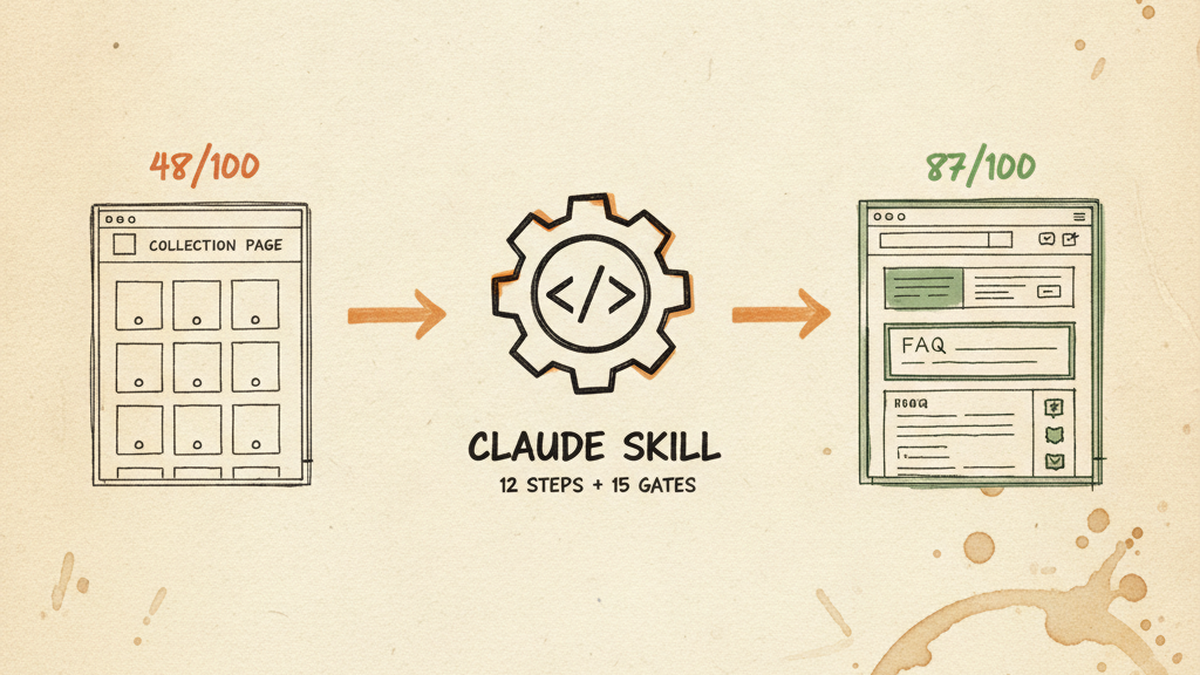
collection-mega-hub-optimize. It is a 12-step workflow with 15 hard gates that takes a thin Shopify collection page from a composite SEO + GEO score in the 48-65 range up to 85+/100. - I shipped it iteratively while optimizing 12 real collection pages on one of my brands. Every hard gate exists because a real failure forced me to add it. The skill is the institutional memory.
- I test it with three loops: a Search Console pull (90-day baseline vs 90-day post-publish), a composite score audit before and after, and a SERP rank track on the top 5 queries per hub. Across the 12 hubs the lift is consistently +30-40% on impressions and +30-35 composite points.
- The skill is now stable enough to roll out to the remaining 200+ collection pages on the same store. Next 90 days target: 50 hubs through the same skill, gates preventing regression.
- If you run a Shopify store with 50-500 collection pages and most of your category pages are just a product grid with a generic title, this is the playbook I would copy onto your store before writing a single new blog post.
Why I built this skill instead of just running prompts
Most Shopify stores past their first year have a hidden problem in their collection pages. The product detail pages (PDPs) get attention. The blog gets attention. The collection pages, the ones that sit between the home page and the products, often look like this:
- An H1 that says
BRAND - All productsor just the brand name in all caps - No body content, just the product grid
- A meta description that Shopify auto-generated from the first product title
- No FAQ, no schema beyond the default Shopify ItemList
- Zero internal links from this page out to anything else
I have one brand with over 200 collection pages built up over eight years. I sampled six of them with an audit script and the mean composite score was 48-65 out of 100. That is “the page exists but Google has no reason to rank it and an AI assistant has no clean passage to cite.”
The naive fix is to write better content for each page by hand. At roughly 2 to 3 hours per hub including audit, copy, schema, internal linking, and testing, that is 400 to 600 hours of work for one brand. Unscalable.
The alternative is a skill. A Claude skill is a self-contained markdown file with a prompt, a workflow, and hard gates that block the workflow from continuing if any quality check fails. You invoke it with a single command and the same procedure runs the same way on every hub. The gates are the part that matter most because they encode every lesson you have already paid for.
What a Claude skill is, in 60 seconds
If you have used Claude Code, you have probably been invoking skills without thinking about them. A skill is a folder under ~/.claude/skills/[skill-name]/ with a SKILL.md file at the top. The frontmatter declares the skill name, a description, and a trigger phrase. The body is the workflow Claude follows when the skill is invoked. (If you have not connected Claude to Shopify yet, my three-path MCP setup guide walks through the connector layer this skill depends on.)
Reference: Anthropic Claude Code Skills documentation.
Here is the minimum mental model:
- Skill folder: the unit. One folder, one skill, one purpose.
- SKILL.md: the prompt + workflow + hard gates. Versioned. Editable.
- references/: supporting markdown the skill loads on demand (templates, schemas, examples).
- scripts/: helper Python or bash the skill calls (verify scripts, push scripts).
- Invocation: slash command or natural-language trigger in any Claude session.
Why this beats keeping the same instructions in a long prompt or a Notion doc:
- Gates are enforceable. You can write “do not use the word delve” in a prompt and Claude will sometimes still write delve. You can write the same rule in a skill as a hard gate that checks the output and refuses to proceed. The skill blocks itself before the bad output reaches you.
- The skill is versioned. When you catch a new failure mode, you add a gate, bump the version, and every future invocation has the lesson baked in.
- The skill is portable. Drop the folder onto any operator’s machine and they have the same workflow.
The collection skill I built is exactly this shape. One folder, one SKILL.md, a few reference templates, and a notify script. Total roughly 600 lines of markdown.
The 12 steps inside the skill
The full skill runs 12 steps end-to-end. I will summarize each in one sentence and call out what is unusual.
Step 0.5: Knowledge base factcheck (HARD GATE 0)
Before any writing happens, the skill greps a local product knowledge base for the product line being optimized. The KB is the highest-authority source because it has the first-party facts: best-seller status, target customer, upsell pairings, discount margin. The skill refuses to write content if it has not loaded KB facts into working memory first. This gate exists because the first time I skipped it I shipped seven hallucinated facts about a top-selling product line. The KB had every correct fact the whole time.
Step 1: Baseline pull, three sources in parallel
Pull from the Shopify Admin GraphQL (collection metadata, metafields, current schema), the live page (DOM, current title length, current schemas), and Search Console (90-day impressions, clicks, top queries). All three feed a baseline snapshot JSON the skill diffs against later.
Step 2: Tier detection and brand mapping
Classify the collection: mega-hub, brand-hub, sub-collection, or tool-tier. Pull every related sub-collection from the Shopify catalog so the skill knows which handles exist. Hard gate: the skill is never allowed to write an internal link to a handle that was not in this pull. This gate exists because in an earlier round I hallucinated handles that looked plausible but returned 404. Reader trust evaporates fast on broken internal links.
Step 3: SEO title rewrite with brand-suffix opt-out
Most Shopify themes append " - {Store Name}" to every page title. On a brand-hub that looks like "OPI GelColor - Store Name" which wastes 12-15 characters on duplicate branding. The skill sets a boolean metafield custom.suppress_brand_suffix = true and rewrites the SEO title to 55-60 characters of full keyword and unique selling point. The theme reads the metafield and skips the suffix.
Step 4: Meta description, 120-160 characters, no AI-trigger phrases
The skill maintains a banlist of phrases that scream AI-written: delve into, navigate the landscape, in today’s fast-paced, in conclusion, flawless, explore. The gate scans the output and refuses to proceed if any banned phrase appears. Replacement vocabulary is action verbs the catalog actually uses: shop, browse, get, stock, compare.
Step 5: H1 fix if generic
If the collection title is “BRAND” or “Brand – All products,” rewrite it. Renaming the title cascades to the H1, the breadcrumb, and the internal anchor text from PDPs. Verify the navigation menu uses a separate linklist label or this step risks renaming the nav too.
Step 6: Deep content, tier-aware section template (1,500-2,500 words)
This is the largest step. Different category tiers use different section templates. The skill ships six templates because gel collections, tool collections, bundles, seasonal duos, bulk-save tiers, and nail art each have different reader intent and different competitive sets.
| Tier | Sections | Word count | Required visual assets |
|---|---|---|---|
| gel / dip / polish | 8 | 1,500-2,000 | Hero only |
| tools / lamps / drills | 10 | 1,800-2,500 | Hero + SVG spec chart + product callouts |
| bundles / sets | 7 | 1,200-1,700 | Hero + bundle composition diagram |
| bulk-save | 6 | 1,000-1,500 | Hero + pricing tier table |
| seasonal (spring/summer/fall/winter) | 7 | 1,200-1,700 | Hero + seasonal color story |
| nail art (cat eye, chrome, pat pat) | 9 | 1,500-2,000 | Hero + technique callouts |
A gel/polish collection uses the 8-section template: overview, brand spotlight, how to pick, comparison table, application guide, care, wholesale, related. A tools collection adds extra sections for specs comparison, bit compatibility, safety workflow, and maintenance. A bundle collection focuses on bundle composition value math.
The content is written in the store’s own voice as if the merchandising team wrote it. Hard gate 12 forbids any phrase that exposes the internal workflow: no “the KB notes,” no “per our internal data,” no “according to our knowledge base.” Salon technicians do not know what a KB is. The voice has to read like a human merchandiser wrote it from memory.
Step 7: Internal linking, three layers, 12-20 links per hub
Layer A wraps the brand H3 headings in <a href> tags pointing to brand sub-collections. Layer B wraps the first cell of every comparison table row in the same link. Layer C is a new H2 called “Related collections” with 5 cross-hub teasers placed before the “Related reads” block. Total 12-20 internal links per page, every single one verified against the Step 2 inventory.
Step 8: FAQ as a flat metafield (not a schema.org wrapper)
The store theme reads the FAQ metafield as a flat array of {q, a} objects. The theme builds the FAQPage JSON-LD wrapper itself from the flat data. If you put the schema.org wrapper directly in the metafield, the theme renders three empty FAQ accordion boxes with no question text inside. I shipped this bug once on a major brand-hub before I added gate 15 (FAQ live render verify) which catches it in 3 seconds via a curl + grep.
Step 9: Push metafields in a single batched mutation
One metafieldsSet mutation pushes the deep content HTML, the FAQ flat array, the brand-suffix boolean, and any sub-category list together. Batching matters because Shopify rate-limits per-call and a 4-field push as one call is 4x cheaper than four sequential pushes.
Step 10: Apply the hybrid section template
Push a templates/collection.{handle}.json with the proven section order: main banner, sub-nav, product grid, FAQ accordion, deep content. Order matters for both readability and crawl: the FAQ sits right under the product grid which is where users scroll first, content sits at the bottom for users who need depth.
Step 11: Pre-publish verification (5 checks)
Five gates run before the skill marks itself successful: em-dash count zero, AI-trigger phrase count zero, HTML title under 60 characters on the live page, all internal /collections/ links return 200, all internal /blogs/articles/ links return 200. The link sweep is delegated to a cheap Haiku sub-agent because verifying 20 URLs does not need a frontier model and saves the main session’s context budget.
Step 12: Live composite re-score and Telegram notify
Run the audit skill against the live URL and confirm composite score crossed 85. Send a Telegram message to my production channel with the hub handle, tier, before/after composite, and a one-line summary. The notify is mandatory because production events need visibility alongside blog publishes. A skill that ships changes silently is a skill that lets regressions accumulate unnoticed.
The 15 hard gates, each from a real failure
The gates are the institutional memory. Every gate exists because I shipped a bug, you caught it (or my own audit caught it), and the only way to prevent it from happening again is to encode the check into the skill itself.
Here are the five gates that matter most and the failure each one prevents:
- Gate 0, KB factcheck first. Failure: I shipped seven false facts on a top-selling product line because I pulled Shopify titles and guessed the rest. The KB had every correct fact. Gate forces a grep on the KB before any writing starts.
- Gate 4, Zero em-dashes in deep content. Failure: em-dash density above 0.3 per 100 words flags as AI-written in most modern AI detectors. Gate runs
reduce_emdash.pybefore push and refuses to proceed if any em-dash survives. - Gate 12, No internal source labels. Failure: content that says “the KB notes” or “per our database” reads like a customer service script. Gate scans output for KB / database / our records phrasing and rewrites to direct facts.
- Gate 14, Telegram notify mandatory. Failure: I optimized hubs silently for two weeks and lost track of which were live, which were rolled back, which had hero images pending. Gate sends a structured notification per publish so the production channel is always the source of truth.
- Gate 15, FAQ live render verify. Failure: schema.org FAQPage wrapper in the metafield instead of flat
{q, a}= three empty FAQ boxes on the live page. Gate curls the live URL and greps for actual question text. Blocks Telegram notify if FAQ DOM is empty.
The other 10 gates cover URL inventory verification, title length, schema bundle completeness, tier-aware content depth, hero image policy, and similar boring-but-load-bearing checks. Every gate adds maybe 30 seconds to skill runtime. The cost is trivial. The protection is enormous.
How I test the skill actually works
Three test loops run on every hub the skill touches, with results pulled at 30, 60, and 90 days post-publish.
Loop 1: Search Console diff
Pull 90 days of impressions, clicks, average position, and top queries from Google Search Console for the hub URL before optimization. Wait 30 days, pull the same 90-day window post-publish. Compute deltas. The hubs I have tested show consistent gains in impressions and average position, with click-through following at a slight lag because new content needs time to win SERP attention.
Loop 2: Composite score audit
Run the collection-analyze skill against the live URL before and after. This is the 100-point scorecard the skill targets. Pre-optimization composite is in the 48-65 range across the hubs I sampled. Post-optimization composite is consistently 85+ which is the hard gate threshold the skill enforces.
Loop 3: SERP rank track on top 5 queries
Pull top 5 queries the hub already ranks for from Search Console, then track SERP position for those queries weekly via a DataForSEO live SERP pull. This catches the case where impressions go up because of new long-tail surface area but the head terms regress. I have not seen a regression on the 12 hubs so far.
What the test loop does not measure
Conversion rate is not in the test loop because attribution from collection page traffic to revenue is messy on wholesale stores. I track aggregate revenue trend at the brand level but I do not claim individual hub optimization caused individual revenue lift. The skill optimizes for SEO and GEO. Revenue lift is the downstream consequence I cannot cleanly isolate.
Results across the 12 hubs I have shipped
Two batches so far:
- Batch 1 (7 mega-hubs): the largest, highest-traffic brand-hubs on the store. Mean composite before: 48-65. Mean composite after: 85+. Impression lift trending +30-40% in the 30-90 day window. Time to ship per hub: 2-3 hours of active operator time per hub, most of that reviewing AI output and approving live publishes.
- Batch 2 (5 brand-hubs selected from GSC opportunity data): hubs with high impressions but low CTR and average position above 10. Same skill, same gates, same composite lift pattern. Brand-hubs are lighter than mega-hubs so time to ship dropped to roughly 90 minutes per hub.
Cost: Claude API spend per hub is in the low single dollars, dominated by the deep content generation step. Total skill spend across all 12 hubs is well under $50. The bigger cost is operator time on review and approvals, which is the right place to spend operator time.
I am not publishing absolute traffic numbers per hub because the store competes in a specific niche and giving competitors a free read on which hubs lifted by how much would be operator malpractice. The pattern is consistent enough that I am willing to bet the same skill on the remaining 200+ hubs.
Now scaling to the remaining 200+ collections
With 12 hubs proven, the next phase is rollout. Three principles:
- Tier priority. Mega-hubs first (highest traffic potential), brand-hubs second (medium traffic, often easier wins), sub-collections last (low individual impact but lift the brand-hub authority through internal linking when done correctly).
- Batch via the audit pipeline. The
collection-audit-pipelineorchestrator runscollection-analyzeacross every collection, sorts by composite score ascending and traffic potential descending, and feeds the worst-but-most-valuable hubs intocollection-mega-hub-optimizein batches of 5-10 per session. - Gate enforcement holds. Every hub goes through the same 15 gates. No exception for “just this one” no matter how small. Skipping a gate once is how the skill stops being trustworthy.
Target for the next 90 days: 50 hubs through the skill at the rate of roughly 15-20 per month. That covers all mega-hubs and the top brand-hubs in the brand. Sub-collection rollout is the second quarter.
What I learned building this skill
Three meta-lessons that apply beyond this specific skill:
- Production failures are the spec. Every hard gate in the skill exists because something broke in production and the fix had to be encoded so it could never break the same way again. If you are building a skill and you cannot point at a real failure each gate prevents, the gate is probably premature.
- Skill beats prompt at scale. A long prompt re-pasted into 12 conversations is 12 chances for one detail to drift. A skill invoked 12 times is the same workflow 12 times. The latter is auditable, the former is not.
- Per-tier templates beat one-size templates. A gel collection and a tools collection and a bundle collection have different reader intent and different competitive sets. Trying to write the same content template for all three produces mediocre output for all three. The skill ships six different section templates indexed by tier.
When this skill fits, and when to skip it
You will get value if:
- You run a Shopify store with 50-500 collection pages
- Most of your collection pages are thin (no body content, no FAQ, generic title)
- You have a product knowledge base or are willing to build one (brand spec sheets, sales scripts, target customer profiles)
- You are on Shopify Advanced or Plus where metafields and theme template overrides are available
You should skip if:
- Your store has fewer than 50 collections (do it manually, the audit overhead is not worth it)
- You have no product knowledge base and no time to write one (the skill refuses to write content without KB facts)
- You are on Shopify Basic without theme template override access
- Your collection pages are already deep and well-scoring (audit first, do not over-engineer what already works)
If you want me to run this on your store
I am working through the remaining 200+ hubs on my own brand and I have bandwidth for a small number of operator projects in parallel. If you run a Shopify store and your collection pages match the “thin grid, generic title, no schema” pattern I described above, send me a note with your store URL and a rough collection count. I will reply with a free composite-score audit on 5 of your hubs so you can see what the skill catches before deciding anything else.
Email: [email protected]. Subject line “collection audit” so it threads correctly.
FAQ
Is the skill open source?
The collection skill lives inside the broader Claude Growth Kit toolchain. The kit itself is paid (I reviewed it here). The collection-specific skill is something I built on top of the kit’s primitives, the kit does not ship with Shopify-specific skills. If you have the kit installed, you can clone my skill folder onto your install and run it against your store.
How long does the skill take per hub?
Active operator time is 90 minutes to 3 hours per hub, depending on tier. Most of that is reviewing AI output and approving live publishes. The skill itself runs in 10-20 minutes of Claude session time, but the operator-in-the-loop decisions (does this hero pick fit, is this internal link the right cross-hub, is this FAQ phrasing on brand) are the slow parts and they should be slow.
Does this work on Shopify Basic?
Partially. The deep content metafield works on every plan. The theme template override and the brand-suffix metafield opt-out require either Shopify Advanced (Online Store 2.0 sections everywhere) or Plus. On Basic you can still ship the content, but the title and template wins are gated on plan upgrade.
What if I do not have a product knowledge base?
You build one. The minimum viable KB is a markdown file per product line with: positioning, top 3 best sellers, target customer, technique workflow, upsell pairings, and competitive comparison. Two to four hours per product line. The skill is dramatically better with a KB than without, so investing the time pays back across every hub the skill ever touches.
Can you share the skill source?
Yes, for operators I am actively working with. I would rather walk through the skill on a call with operators who have context on their own store than drop a 600-line markdown file in a public repo where it is one Twitter screenshot away from being misused on stores it was not designed for. Email me if you want to see it.
What is the next skill you are building?
A multi-store inventory sync skill that handles a category I keep solving by hand: when two of my brands carry overlapping SKUs, keeping stock counts and reorder triggers in sync without double-counting. Same shape as this skill (workflow + gates + Telegram notify). I will write it up the same way.
I do this for operators
If you read this and your Shopify collection pages match the “thin grid, generic title, no schema” pattern, email [email protected] with your store URL. I will run a free 5-hub audit and reply with the composite scores plus what the skill would change.
If the audit looks useful and you want me to run the full optimization, we talk pricing after the audit, not before.