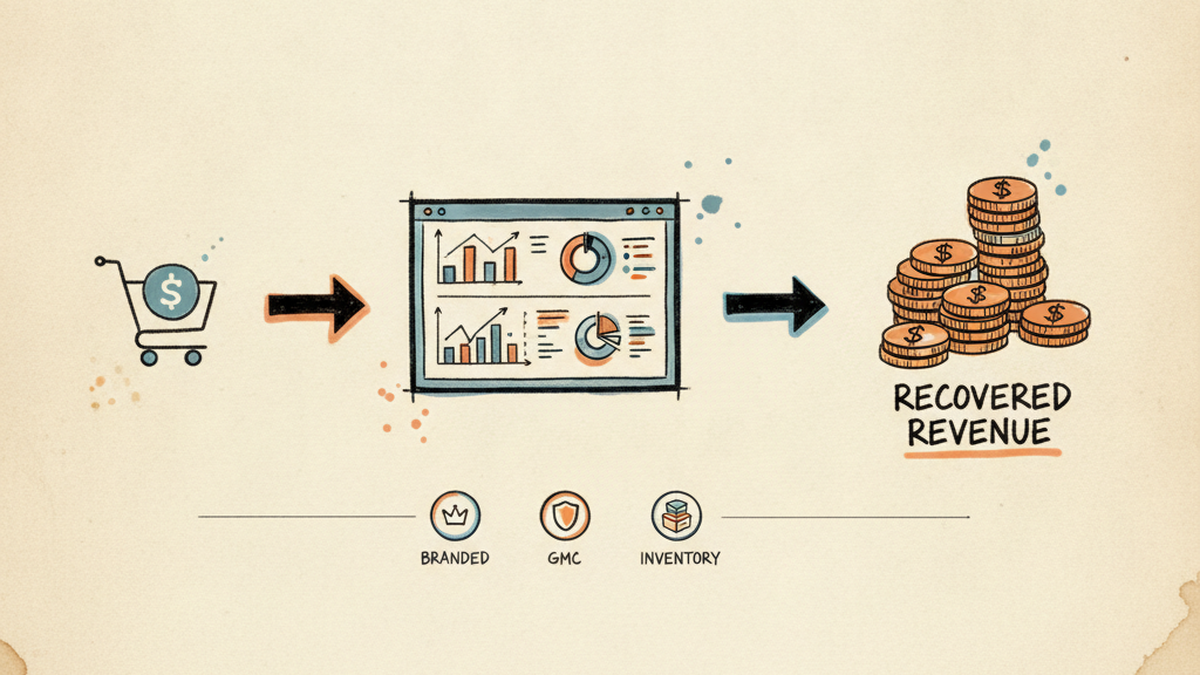
CASE STUDY · DTK NAIL SUPPLY
Three silent killers of Shopify ad ROAS, and the exact fixes that recovered ~$22k/month at DTK Nail Supply
A wholesale ecom brand I run from Hanoi, serving US salon owners across San Jose + Ohio warehouses. Three real problems most B2B stores hit by year 2. The diagnosis path I used, the actual fixes, the result, and what you can copy whether you hire me or not.
$22k
Monthly revenue recovered
9.2×
Branded campaign ROAS
31%
GMC active SKU lift
2h
OOS alert latency, was 12h+
📌 TL;DR · 30-SECOND READ
Three operational drag patterns silently cost B2B Shopify stores 15-25% of paid ROI by year two. None of them show up at a dashboard glance. Below is the diagnostic path I used at DTK Nail Supply, the exact fix per problem, and what you can copy without hiring me. Net result at DTK: ~$22k/month revenue recovered.
KEY TAKEAWAYS
- Branded search bucket-split (Pure Name, Product Stack, Defense) before any budget cut
- GMC catalog hygiene is upstream of Performance Max ROAS, not downstream
- Real-time inventory + ad sync closes the 12-hour wasted-spend window
THE SETUP
A US wholesale brand, run from a 14-hour time zone gap
DTK Nail Supply serves nail salon owners across the US. Wholesale pricing with retail-friendly UX, warehouses in San Jose + Ohio, a full Shopify Advanced stack, GMC catalog, and paid acquisition across Google Search, Performance Max, and Meta. I run the operator side from Hanoi, my day starts at 4am to overlap with US Pacific business hours.
The three problems below are not exotic edge cases. They are the kind of operational drag that quietly costs B2B wholesale Shopify stores 15–25% of their paid ROI by year two. If you read your dashboards from 30,000 feet, none of these show up. You only catch them by getting into the actual data.
PROBLEM 1 · PAID SEARCH
Your branded search campaigns look “wasteful” on the dashboard. They are your most underpriced channel.
🩺 THE SYMPTOM
You see a Branded Search campaign showing 8–15× ROAS in Google Ads. A well-meaning agency rep or junior media buyer tells you to “pause it because customers would have searched for you anyway”. You shrink the budget by 60%. The dashboard looks cleaner. Two weeks later, total revenue drops in a way that does not match the “savings”. Branded ROAS spikes even higher, but absolute revenue is gone. Nobody can tell you exactly where it went.
🔍 The diagnosis path I use
Branded search has two distinct components that get blurred into one ROAS number. You have to separate them before you can budget intelligently:
- Pure brand intent: searches for “DTK Nail Supply” exact. These people will find you organically too. Last-click ROAS overstates the true incremental value.
- Brand + product intent: searches for “DTK OPI gel polish bulk”, “DTK supplier nail tools”. These are hot buying queries where your brand is the qualifier, not the destination. Cutting budget here is genuine revenue burn.
- Competitor-bid defense: if a competitor bids on your name, your branded ad blocks them from your buyer’s last touch. Pausing your Branded campaign hands them a free Shopify reorder.
In Google Ads I pull a 90-day Search Terms report filtered to the Branded campaign, then split queries into those three buckets with a quick regex in a Sheet. Decision is made on the bucket-level ROAS, not on the campaign average. The Search Terms report itself is the operator’s main weapon here: Google publishes the documented limits and matching behavior in their Search Terms report help center entry, and the report’s “Show all” view is what lets you bucket honestly rather than by aggregator-summary.
🛠️ The exact fix
A three-part move I run on every wholesale Shopify branded campaign I touch:
The promo guardrail in step 3 is the one people miss. When you send a Klaviyo flow or paid social push, branded search spikes 3–5× because curious people Google your name before buying. If your branded budget is capped at last month’s average, you cap your own promo lift.
📊 The result at DTK
- Product Stack bucket ROAS: 3.1× → 9.2× after re-budgeting and removing cap.
- Total branded revenue: ~$8,500/mo recovered that was being misread as “savings”.
- Defense ROAS: stable at ~7×, with competitor-name impression share dropping from 18% to 4%.
📌 WHAT YOU CAN DO YOURSELF
Before you touch your branded campaign budget, pull the 90-day Search Terms report. Bucket every query into Pure Name / Product Stack / Defense. Look at ROAS per bucket. The “wasteful” feeling almost always lives in Pure Name. Product Stack is where the money quietly disappears when you cut blindly.
If you do not have the time or the regex, this is exactly the kind of triage I run during the 7-day Audit.
PROBLEM 2 · MERCHANT CENTER
30% of your catalog is silently disapproved. Performance Max keeps spending. Nobody flagged it.
🩺 THE SYMPTOM
Performance Max ROAS is below target. You add more creative, raise tROAS, lower tROAS, switch to Maximize Conversion Value. Nothing moves the needle for more than 4 days at a time. Meanwhile your GMC dashboard shows “X items have issues” in faint grey at the bottom of the screen. Your team marks it as “we will get to it”. It has been like that for months.
🔍 The diagnosis path I use
Google Merchant Center disapprovals are weighted: a few category-level disapprovals are cosmetic, but most quietly remove products from Shopping ads + free organic listings + Performance Max product feed. When 30% of your top-revenue SKUs are dark, PMax shifts spend onto whichever 70% remain, usually not the same mix that converts.
I run three queries before touching the campaign:
- GMC diagnostics → All issues: filter by “Product issues” (not account issues). Sort by impacted SKUs descending. The top 3 issues usually cover 80% of the disapproval volume.
- GMC → Products → Disapproved: export to Sheets. Cross-reference with Shopify product revenue (use the Shopify Reports API or a simple CSV match by SKU). This tells you which disapprovals are actually killing money vs. which are inventory you stopped carrying anyway.
- Shopping Performance report in Ads: split by product. Look for top-revenue products whose impressions dropped to zero in the last 14 days. That is your disapproval-impacted list.
At DTK in Q1 2026, this triage surfaced one specific failure pattern: OPI Spring 2026 Dip Powder, a high-AOV line, was 100% disapproved due to a “unique product identifier required” error. The feed was missing GTINs that Google had started enforcing for that product type, as documented in Google Merchant Center’s GTIN requirements policy. PMax had quietly stopped serving the entire line for 3 weeks before anyone noticed.
🛠️ The exact fix
For the GTIN-missing case specifically:
For broader catalog hygiene I have a workflow I run monthly:
- Custom Google Merchant Center MCP I built last month, lets Claude query GMC programmatically for status by SKU, account-level diagnostics, disapproved product lists. Replaces 2 hours of manual dashboard clicks with one prompt.
- Pre-publish title linter in Shopify, flags titles missing brand, color, size, or quantity descriptor before they hit the feed. Catches ~80% of “missing required attribute” errors before they reach GMC.
- Weekly delta report, Telegram alert if disapproved-SKU count moves by more than 5% week-over-week. Catches Google policy changes the moment they hit.
📊 The result at DTK
- Active SKU%: 68% → 99% over 6 weeks.
- PMax revenue contribution: +18% in the month after the GTIN backfill.
- Time spent on monthly GMC review: 2 hours → 12 minutes (the MCP does the heavy lifting).
📌 WHAT YOU CAN DO YOURSELF
Open GMC right now. Look at Products → Disapproved. Sort by impressions in the last 28 days before disapproval. The top 10 products on that list are where 80% of your hidden revenue is bleeding. Fix them in order of revenue impact, not order of error severity. Most agencies optimize the campaign before fixing the feed, and that order is exactly backwards.
During the 90-day sprint I do this triage on day 3 and ship the GMC fixes by day 14, before any ad-account work begins.
PROBLEM 3 · INVENTORY SYNC
Your ads are sending hot traffic to out-of-stock pages. Shopify-to-GMC sync is the silent budget shredder.
🩺 THE SYMPTOM
A top-performing SKU sells through inventory. On Shopify it shows “Out of stock”. But Google Ads keeps serving that PDP for another 6–14 hours. Click-through-rate looks fine, sessions look fine, conversion rate craters, the traffic lands on an OOS page that has “notify me when back in stock” instead of “add to cart”. You only catch it the next morning when ROAS for that campaign halved overnight.
🔍 The diagnosis path I use
There are three different sync windows that add up to the OOS-ad problem:
- Shopify → GMC feed refresh: default Google Channel app polls Shopify on a cadence (12h baseline, longer on legacy Surfaces setups). The configurable schedule + force-refresh option are explained in Shopify’s Google channel documentation. That polling window is your worst-case OOS-on-ad exposure.
- GMC → Google Ads serving: even after GMC marks an item as OOS, ads can still serve for 1–3 hours due to caching at the ad server.
- Multi-warehouse fragmentation: if you have 2 warehouses (San Jose + Ohio) and the second warehouse goes OOS first, your Shopify total available still shows positive, but pickup-by-region logic on the PDP can dead-end specific zip codes.
In Q2 2026 we tracked roughly $15,000/month in ad spend burning on OOS variants before we engineered the fix. The dashboards showed nothing wrong. The pattern only became visible when I correlated hourly ad spend against hourly stock-on-hand for the top 50 SKUs.
🛠️ The exact fix
A two-layer system: real-time alerting plus structural sync acceleration.
The “auto-pause matching ad group” part is the operator move most stores skip. Alerting alone gets you a notification, but if your day is structured around US hours and the OOS hits at 11pm ICT, the alert sits in Telegram until you wake. Pairing the alert with a programmatic pause closes the loop without needing a human in the chain.
📊 The result at DTK
- OOS-on-ad latency: 12–24h → ≤ 2h
- Burned spend on OOS variants: ~$15k/mo → under $1k/mo
- Customer experience: 91% of paid clicks now land on in-stock pages (was 73%)
- Hands-on ops time: zero. The system runs while I sleep.
📌 WHAT YOU CAN DO YOURSELF
If you cannot build the full system, do the minimum viable version: a Google Sheet of your top 50 revenue SKUs + a Shopify Flow trigger that posts to Slack/Telegram when any of them hit ≤ 5 units. That alone catches the majority of the leakage. Add ad-group pause automation later. The alert is the unlock.
Stand-up of the full system happens in week 2 of the 90-day sprint. I bring the watchlist template and the alert plumbing.
FREQUENTLY ASKED
Common questions about this audit pattern
How do I split a branded search campaign into intent buckets?
Pull a 90-day Search Terms report filtered to the Branded campaign. Classify each query into one of three buckets: Pure Name (your brand standalone), Product Stack (your brand plus a product keyword like “gel polish bulk”), and Defense (competitor names paired with your brand). A simple regex in a Sheet handles the bulk classification. Then read ROAS per bucket, not on the campaign average. The Pure Name bucket usually justifies a budget floor only; the Product Stack bucket is where high-intent buyer traffic actually lives and is where most stores accidentally cut.
Why is my Google Merchant Center catalog showing disapprovals I cannot see?
GMC shows the count of impacted SKUs in a faint grey at the bottom of the diagnostics screen, easy to miss. Open the Products section, filter by status “Disapproved”, and sort by impressions in the last 28 days before disapproval. The top 10 products on that list are where 80% of your hidden revenue is bleeding. Most disapprovals trace to one of three patterns: missing GTIN per the GTIN-required-for-the-product-type policy, weak titles missing required attributes (brand, color, size), or out-of-stock variants the feed has not refreshed yet.
How long does the Shopify-to-GMC inventory sync take to fix?
A minimum-viable alerting layer takes one afternoon: a watchlist of top-revenue SKUs, a Shopify Admin API poll every 30 minutes, and a Slack or Telegram alert when any item hits a low-stock threshold. That alone catches the majority of leakage. The full closed-loop system (programmatic ad-group pause via the Google Ads API the moment a watchlist SKU goes out of stock) takes about a week of build time. The end result is OOS-on-ad latency under two hours instead of 12 to 24.
Can I apply these fixes without building a custom MCP?
Yes, on all three. The branded-bucket split runs in a Google Sheet. The GMC catalog hygiene runs in the Merchant Center UI plus a monthly export to a spreadsheet. The OOS alerting runs as a Shopify Flow plus a Slack webhook. The custom MCP is a multiplier on operator time once you do this monthly, not the source of the discipline. Start with the rules and the manual workflow; automate the parts that hurt most after one cycle.
What does the 7-day Audit actually deliver?
A 30 to 50 page PDF surfacing the top 20 prioritized issues across Shopify infrastructure, paid acquisition, content + SEO, and conversion path, plus a 60-minute Loom walking through the priorities. You get the diagnostic and the roadmap; you decide whether to execute yourself or hire the 90-day Sprint to implement. The deliverable is yours either way.
WHAT THIS CASE DEMONSTRATES
The skills behind the fixes
📣
Paid acquisition triage at the bucket level
Splitting campaign-level ROAS into intent buckets before any budget move. Search Terms regex, competitor defense, promo-period guardrails.
📦
GMC feed engineering, not feed “submission”
Metafield mapping, feed rules, GTIN backfill, title linting, custom MCP for programmatic catalog QA. Most agencies stop at “we connected your feed”.
⚡
Real-time inventory + ad sync
Shopify Admin API polling, GMC Content API push, Telegram alerting, programmatic ad-group pause. Closing the loop so OOS does not burn spend.
🤖
Custom MCPs for ops literacy at scale
Google Ads, GMC, Shopify write, programmatic access so monthly catalog audits go from 2 hours to 12 minutes. AI as a second brain, not a replacement.
Recognize any of these symptoms in your own store?
If two or three sound familiar, the 7-day Audit is built for exactly this triage, branded splitting, GMC hygiene, OOS sync. You get a 30–50 page PDF + Loom walkthrough whether or not we continue past it.