The 90-second version
- I built an open-source Claude Code plugin called
claude-google-ads. It is 15 skills that operate Google Ads end-to-end for ecommerce stores: connect, audit, plan, build, push, and optimize, all on your real account data. - It is built on four rules: never fabricate a number, pull everything from the API instead of saying “check the UI,” never touch the account without approval, and ground every recommendation in your account rather than a generic playbook.
- The core of it is a money-leak engine that ranks where your budget is bleeding by dollars per month, not a vague “score 85.”
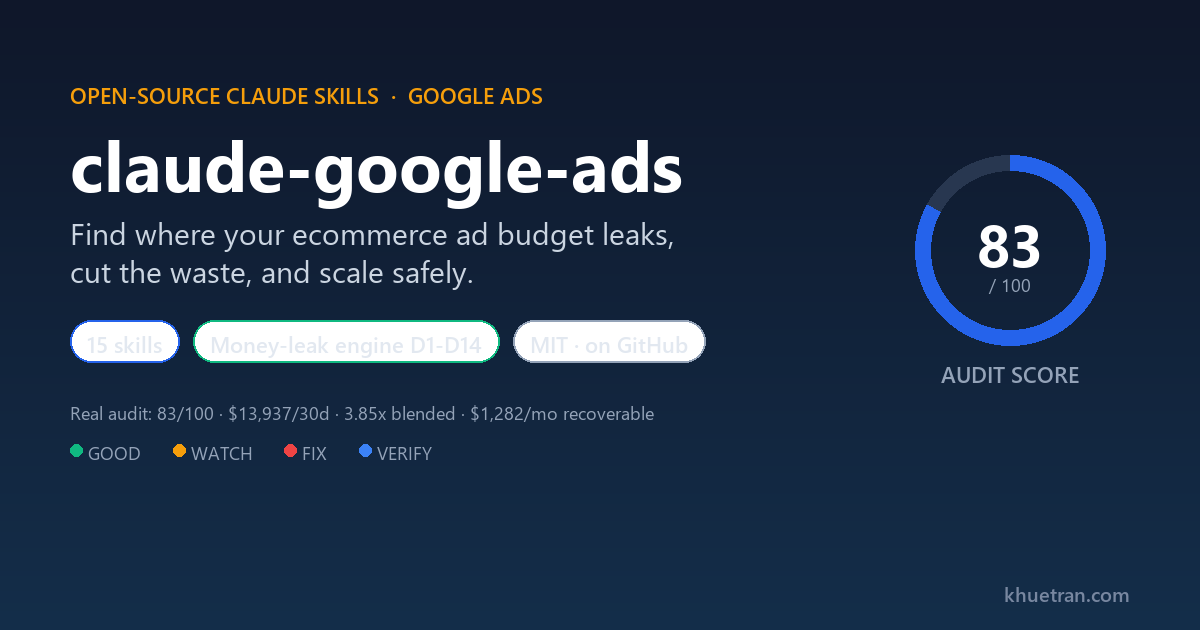
- I run it on a US nail-supply distribution business I operate. On one audit it scored 83/100, surfaced about $1,282/month of recoverable spend, and caught nine out-of-stock products burning roughly $392/month that the feed was still advertising.
- It is MIT-licensed and on GitHub: chanktb/claude-google-ads. If you run an ecommerce account and want a second set of eyes that never invents data, this is the one I would install.
The problem: most Google Ads audits tell you nothing you can act on
If you run Google Ads for an ecommerce store, you have probably paid for an audit that came back with a number like “your account scores 85” and a list of generic best practices. That number does not tell you where a single dollar is leaking. Worse, a lot of automated tooling does one of four things that quietly erode trust:
- It punts. When a setting is awkward to read through the API, the tool writes “verify this in the UI” and moves on. You hired it to read the account, and it handed the work back to you.
- It guesses. When data is missing, it fills the gap with a plausible-looking number. A confident wrong number is worse than a blank, because you act on it.
- It does not understand a reseller. If you distribute brands like OPI, DND, or Kupa, a generic tool flags a search for a brand you sell as a “competitor to block.” Blocking it kills your own sales.
- It changes things unsafely. It pushes budget and bid changes with no cooldown and no approval, and resets the Smart Bidding learning you already paid to build.
I built claude-google-ads because I was tired of all four. Every rule in the plugin exists to make one of those failures impossible.
What is claude-google-ads?
It is a Claude Code plugin: a set of 15 skills you invoke from any Claude session, that read your live Google Ads account through a read-only API connection and produce audits, plans, campaign blueprints, and safe change sets. It is scoped to ecommerce on purpose: retail, wholesale, and direct-to-consumer stores with a product catalog, store revenue, AOV, and ROAS targets. It is not built for lead-gen, SaaS, or local-service accounts, because those have a different measurement model and pretending otherwise would produce bad advice.
If you have never used a Claude skill, the short version is in my collection SEO skill write-up, and the connector layer it depends on is in my MCP setup guide, and the broader toolkit it builds on in my Claude Growth Kit review. A plugin is just a bundle of skills with shared references and scripts.
The four rules that make it different
- No-fabricate gate. If a number is not in your connected data, the plugin flags it
UNVERIFIEDand omits it. It never invents a figure to fill a gap. This is the same discipline I want from a junior analyst: say “I do not know” instead of making something up. - Pull everything. “Verify in the UI” is treated as the cardinal sin. The working assumption is that if a fetch comes back empty, the method was wrong, not that the API cannot read it. That assumption has paid off repeatedly, which I will show below.
- Safety by construction. Anything that writes to the account is gated: campaigns are created paused, behind a human approval step, with a spend cap and a bidding cooldown so you cannot accidentally whipsaw the algorithm.
- Grounded in your account. Every business fact lives in one file,
account-context.yaml: your brand terms, the brands you carry, your margins, your guardrails. The skills stay generic; the context file makes them yours.
What does claude-google-ads actually find?
The heart of the plugin is a diagnostic engine that runs fourteen checks, labeled D1 through D14, and ranks every leak it finds by estimated dollars per month. Instead of a score, you get a list you can work top to bottom:
- bid and target health (is the campaign budget-capped, target set too high, or starved of data)
- geo and dayparting waste (regions and hours spending with no return)
- zero-conversion products draining the Shopping or Performance Max feed
- Performance Max channel and placement burn
- weak or thin assets and extensions
- account structure problems and Quality Score drags
- product-feed health: out-of-stock items you are still paying to advertise
Each finding comes with the evidence (real numbers from your account), a root-cause read rather than a symptom, the dollars per month at risk, and the specific fix. The output is a single self-contained HTML report you can open in a browser or send to a stakeholder.
What does the report look like?
Two parts of the report do most of the work: the account overview, which lists every account-level setting with a verdict, and the per-campaign deep-dive, which turns each campaign’s metrics into charts. Below is a trimmed, anonymized slice from a real audit so you can see the shape. The numbers are real; the brand and campaign names are masked.
Store account: Google Ads AuditB
Account overview
Store account
Per-campaign deep-dive
Catch-all PERFORMANCE_MAX
Every row follows the same pattern: the data, a verdict (GOOD, WATCH, FIX, or VERIFY), and the specific action. Every campaign metric is a chart, not a number buried in a table, so you can see at a glance whether ROAS beats target, whether the budget is capped, where the spend goes by channel and device, and which regions to scale or cut.
How do you install and run it?
Installation is one command in Claude Code:
/plugin install claude-google-ads@chanktb/claude-google-ads
There are three ways to use it, and you do not have to memorize anything:
- Type
/claude-google-adsand a menu lists every skill. Arrow down and pick. - Describe what you want in plain language: “audit my Google Ads,” “set up Google Ads for my store.” The matching skill runs.
- Type the exact command if you know it:
/claude-google-ads:audit.
The standard flow for a new account is: setup to connect your data, measurement to validate conversion tracking before you spend, audit to find the leaks, plan to design the campaign mix, the builder skills to draft campaigns, push to export them safely, then track and optimize on an ongoing basis.
The 15 skills, grouped
The plugin organizes its skills into four stages. Here is what each one solves and how you use it.
Start here
google-ads (router). The entry point. It reads your context, tells you where you are in the lifecycle, and points you at the single next skill to run. Use it when you are not sure where to start.
setup. The connection hub. It inventories your data sources (Google Ads, your store, Merchant Center, GA4, Search Console), records them in account-context.yaml, and captures your brand terms, the brands you carry, margins, and guardrails. This file is the single source of business truth that every other skill reads. Run it first.
Diagnose and fix
measurement. The conversion-tracking gate. It checks your primary and secondary conversions, looks for double-counting, and cross-checks Ads against GA4 and your store. Broken tracking misleads Smart Bidding into optimizing for the wrong outcome, so this skill blocks planning until tracking is sound.
audit. The money-leak engine described above. It builds the active-campaign set, pulls the data, applies its guardrails, scores the account, and writes the HTML report with per-campaign visuals.
optimizer. It acts on the findings: search-term mining into negatives, geo and product exclusions, budget reallocation, target-ROAS steps, and pausing dead weight. The output is a typed change set that respects bidding cooldowns and never blocks your brand or a brand you sell.
Plan and build
plan. Budget split, campaign mix, learning-phase math, and a forecast built from your real CPC, conversion rate, and AOV. It sequences what to launch and why.
builder-pmax. A complete Performance Max blueprint: split strategy, asset groups, listing groups, copy and search themes grounded in converting data, audience signals, and real price assets.
builder-search. A non-brand Search campaign that harvests the proven converters Performance Max already discovered into exact-match control, rather than betting on keywords from scratch.
builder-branded-search. Brand defense plus optional, trademark-safe competitor conquesting, kept as separate campaigns, with the brand-exclusion coordination that stops your brand campaign and Performance Max from fighting over the same query.
builder-demand-gen. Top-funnel prospecting and retargeting across YouTube, Discover, and Gmail, with audience-led creative.
assets. The shared creative generator: responsive search ads, Performance Max copy, and image and video briefs, with character limits, brand voice, and trademark safety enforced.
Push and operate
pusher. It exports the build as a Google Ads Editor CSV or turns a change set into a guided checklist. Everything is created paused, behind an approval gate, with a spend cap. With a read-only connection it exports files for you to import, so it never touches the account silently.
tracker. Observes pacing, the learning phase, and anomalies. It changes nothing. Use it between optimization passes to catch drift early.
experiments. Designs disciplined A/B tests with a feasibility gate that refuses tests too small to reach significance, so you do not burn weeks on a test that can never conclude.
routine. The daily, weekly, and monthly operating rhythm. It calls tracker and optimizer at the right cadence and tells you what is due or overdue.
Why I trust it: the gates came from real failures
Like the other skills I have written about, every guardrail in this plugin exists because something broke and the fix had to be encoded. A few that earned their place while I was running it on a live account:
- An inverted enum that produced a false finding. The audit once flagged every campaign as using “Presence or Interest” location targeting, a known waste pattern, and told me to switch to Presence-only. The account was already on Presence-only. The bug was a reversed enum mapping. I confirmed the correct values against Google’s official API definition (the value 7 means Presence, which is correct, not the leak), and fixed the mapping. The lesson became a rule: verify enum values against the source, never from memory.
- A reseller rule that protects your own sales. The optimizer recommended blocking search terms for Kupa, Chaun Legend, and Kiara Sky as “competitors.” I sell all three. A search for a brand you stock is buying intent, not a competitor. The plugin now classifies brand terms three ways: your own brand (never block), a brand you carry (block only to route to its dedicated campaign, otherwise protect it), and a true competitor (a candidate you confirm before blocking). A brand sitting in a catch-all campaign is there because it has not been split out yet, not because it is a rival.
- Negatives that live in four places. An early run reported “weak negative coverage” on a campaign that actually had over 100 negatives. The reason: negatives live in four separate places (campaign-level, shared lists, account-level, and brand-list exclusions), and the first pull only read one. The plugin now merges all four before it dares to judge coverage.
- Pull everything, including the things people assume you cannot. Acting on the “wrong method, not a limit” assumption, the plugin now reads content-label exclusions, full geo names, impression share, and even the list of competitor domains from the Auction Insights report, all through the API. Some of those are gated behind account permissions rather than missing, which is a different problem with a different answer than “check the UI.”
A real account: what it caught
I run a US nail-supply distribution business, four active campaigns, around $580 per day in spend across them, with a healthy blended return. I am not naming the brand or publishing absolute revenue, for the same reason I redact it in my other write-ups: handing competitors a read on which lines perform would be operator malpractice. The patterns are what matter, and they are real.
On one audit pass the account scored 83 out of 100. The plugin surfaced roughly $1,282 per month of concrete recoverable spend (cuts plus reallocation). The concrete findings:
- Nine out-of-stock products burning about $392/month. The product-feed check cross-referenced the spending items against live store inventory and found nine SKUs, mostly higher-priced equipment, that the feed was still advertising while the store could not fulfill them. One had even oversold. That is pure waste, fixable from the store side in minutes.
- One state quietly draining spend. A single region was spending about $107/month at a 0.65x return, well below the account’s bar. Small on its own, but exactly the kind of thing a “score 85” never shows you.
- Flat dayparting. Every ad-schedule entry had a bid modifier of zero, meaning no time-of-day strategy at all, despite clear swings in hourly return.
- A catch-all campaign losing the auction. Impression share on the catch-all Performance Max campaign was under 20%, with most of the lost share going to competitors on ad rank rather than to budget. That is a strategic signal, not a quick fix, and the plugin labeled it as such.
Here is the honest part. The very first version of that report had the inverted-enum bug and the reseller false-positive in it. I caught them because the findings did not match what I knew about my own account, fixed the skill, and re-ran. The corrected report was right the first time on the next pass. That loop, a wrong output forcing a permanent fix, is exactly how the plugin got trustworthy. Production failures are the spec.
What does it not do?
- It does not pull Auction Insights competitor metrics on every account. Those metrics exist in the API but are restricted, so unless your developer token is allowlisted by Google you get a permission error. The plugin degrades to the impression-share signal plus the competitors you listed at setup, and it tells you which happened.
- It does not mutate your account directly yet. Version one exports a paused Editor CSV behind an approval gate. Direct API writes are deliberately deferred until the safety story is airtight.
- It is ecommerce only. No lead-gen, SaaS, or local-service paths. If your account is not a product catalog with revenue and ROAS, this is the wrong tool.
FAQ
Is it really open source?
Yes. It is MIT-licensed and public on GitHub at chanktb/claude-google-ads. You can read every skill, every script, and every guardrail before you run it.
Will it change my account without asking?
No. With a read-only connection it can only read and export files. Anything that could write is gated behind a human approval step, creates campaigns paused, and respects a spend cap and a bidding cooldown. The safety model is the whole point.
Do I need every connector to use it?
No. Google Ads is the only mandatory connection. Your store, Merchant Center, and GA4 add the full depth (real AOV, true ROAS, feed health, and the value cross-check), but the core audit and money-leak diagnostics run on the Google Ads connection alone. Whatever you have not connected is flagged UNVERIFIED rather than guessed.
What does it cost to run?
The plugin is free. The only cost is the Claude API spend for a session, which for an audit is in the low single dollars. The real investment is the operator time to review and approve changes, which is the right place to spend it.
Why ecommerce only, and not lead-gen?
Because the measurement model is different. Ecommerce optimizes on order value and ROAS against a product catalog. Lead-gen optimizes on lead quality and CRM outcomes. Building one tool that pretends both are the same produces advice that is wrong for both. The plugin declares its scope up front and stays inside it.
Can I trust the numbers in its reports?
That was the design goal. Every figure is either grounded in your connected account data or flagged UNVERIFIED and left out. When a fetch comes back empty, the plugin assumes it used the wrong method and retries, rather than telling you to check the UI. If you find a number you cannot trace, that is a bug, and I want the issue.
Install it, or tell me what breaks
If you run an ecommerce Google Ads account and you are tired of audits that say “score 85” and “check the UI,” install it: /plugin install claude-google-ads@chanktb/claude-google-ads. It is free and MIT-licensed.
If you run it and something looks wrong, that is the most useful thing you can send me. Open an issue on GitHub or email [email protected] with the subject “google-ads plugin.” Every real failure becomes a permanent fix, the same way the ones above did.